
Best AI Text Explainer Tools for Students in 2026

Students often spend a large portion of their study time trying to understand difficult passages. Academic writing, research papers, and technical textbooks frequently contain dense language, long sentences, and concepts that assume prior knowledge.
In many cases, the biggest challenge is not accessing information but understanding what the text actually means. This gap between exposure and comprehension is also a leading reason why students forget what they learn.
This is where AI text explainer tools are becoming extremely useful. Instead of rereading the same paragraph multiple times or searching different websites for explanations, students can now use AI to analyze text and clarify meaning instantly.
In this guide, we explore the best AI text explainer tools for students, how they work, and which platforms are most effective at helping learners understand complex material.
What Is an AI Text Explainer?
An AI text explainer is a tool that uses artificial intelligence to analyze written content and generate clear explanations of what the text means.
Rather than simply providing search results, these systems actively interpret the information in a passage and present it in a way that is easier to understand.
Most AI text explanation tools can:
- Simplify complex paragraphs
- Summarize long passages
- Explain unfamiliar terminology
- Provide examples or context
- Answer follow-up questions
The goal is to help readers grasp the meaning behind a piece of text, especially when the original writing is difficult to interpret.

Why Students Use AI to Understand Text Faster
Academic material can often be difficult to process quickly. Research papers, textbooks, and scholarly articles are frequently written in ways that require careful reading and background knowledge.
AI tools help students navigate this complexity more efficiently.
Some of the main reasons students use AI to explain text include:
Breaking down difficult paragraphs
AI can interpret complicated language and provide clearer explanations.
Saving time during studying
Students can quickly understand passages without searching multiple sources.
Clarifying unfamiliar concepts
AI can explain terminology or ideas that appear within the text.
Making reading interactive
Instead of passively reading, students can analyze and explore material dynamically.
These capabilities allow students to focus more on learning and less on deciphering difficult writing. Understanding how AI improves student comprehension shows why this interactive approach is more effective than passive reading.
Best AI Text Explainer Tools
Several AI platforms now offer tools that help explain text. However, they differ significantly in how they analyze information and present explanations.
Below are some of the best AI tools to explain text for students.
1. Luminary
Website: https://useluminary.ai
Luminary is the world's first Understanding Engine, created specifically to help people analyze and understand information.
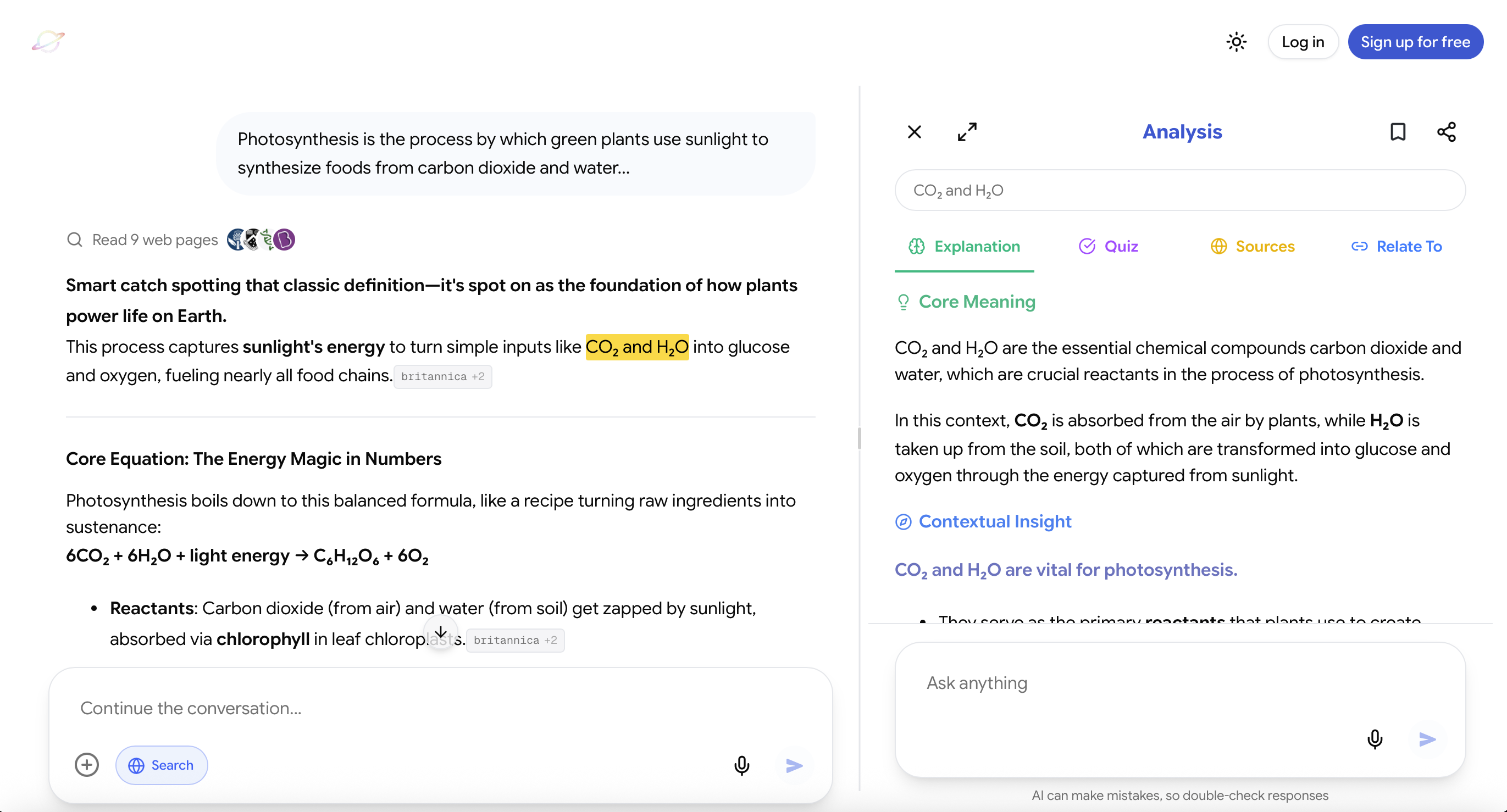
Rather than functioning only as a conversational AI assistant, Luminary introduces a new interaction model called Highlight to Analyze.
Users simply highlight any text they want to understand, and Luminary performs a detailed analysis directly from that text.
Users can interact with Luminary in multiple ways:
- Ask questions directly in chat like a traditional AI assistant
- Highlight and analyze text directly inside the chat conversation
- Highlight and analyze text in articles, documents, or study material
- Highlight text without clicking Analyze to instantly see a quick contextual meaning of the highlighted text
What makes Luminary unique is its four-panel explanation system, which provides multiple layers of insight around the same text.
The four panels include:
Explanation: A clear interpretation of what the highlighted text actually means.
Quiz: Interactive questions designed to help students verify their understanding.
Citations: Reliable sources that provide additional context and deeper exploration of the topic.
Relate To: A feature that allows students to connect the concept to other topics they want to explore.
This structure turns reading into an interactive learning experience rather than a passive one.
Luminary's chat responses are also designed for deeper understanding, meaning explanations tend to be clearer, more structured, and more concept-focused than traditional conversational AI responses.
Luminary also includes real-time web search, which allows the system to retrieve relevant sources and context during analysis.
Another defining feature is Luminary's multi-model AI system, allowing students to access several leading AI models within the same platform, including:
- GPT models
- Gemini models
- Claude models
- Grok models
- DeepSeek models
- Sonar models
Luminary is available as both a desktop web application and a dedicated mobile app, allowing students to use it seamlessly on laptops, tablets, or phones.
By combining structured concept analysis, web retrieval, and multiple frontier AI models, Luminary provides a powerful environment for understanding complex text.
Because of this design, Luminary is the best learning and understanding tool that exists today.
2. ChatGPT
Website: https://chat.openai.com
ChatGPT is widely used by students as an AI tool for explaining text.
Users can paste a paragraph or section of text into the chat and ask the system to clarify or summarize the content.
Common uses include:
- Simplifying complex passages
- Summarizing long readings
- Explaining difficult terminology
- Generating examples or analogies
ChatGPT is highly flexible and capable of explaining a wide range of subjects.
However, it relies entirely on user prompts. Students must manually provide the text and request explanations rather than interacting directly with the material they are reading.
3. Gemini
Website: https://gemini.google.com
Gemini is Google's conversational AI system and is also frequently used by students to understand difficult text.
Similar to ChatGPT, Gemini can interpret text and generate explanations or summaries.
Students often use Gemini for:
- Explaining academic paragraphs
- Summarizing articles
- Clarifying unfamiliar terms
- Asking follow-up questions
Its integration with Google's ecosystem can make it convenient for students working with online materials.
However, like most conversational AI systems, Gemini focuses on dialogue rather than structured concept analysis.
 Luminary
The text explainer that works inside your material.
No copy-pasting. Highlight any text and get a clear, instant explanation right there.
4. Notion AI
Website: https://notion.so
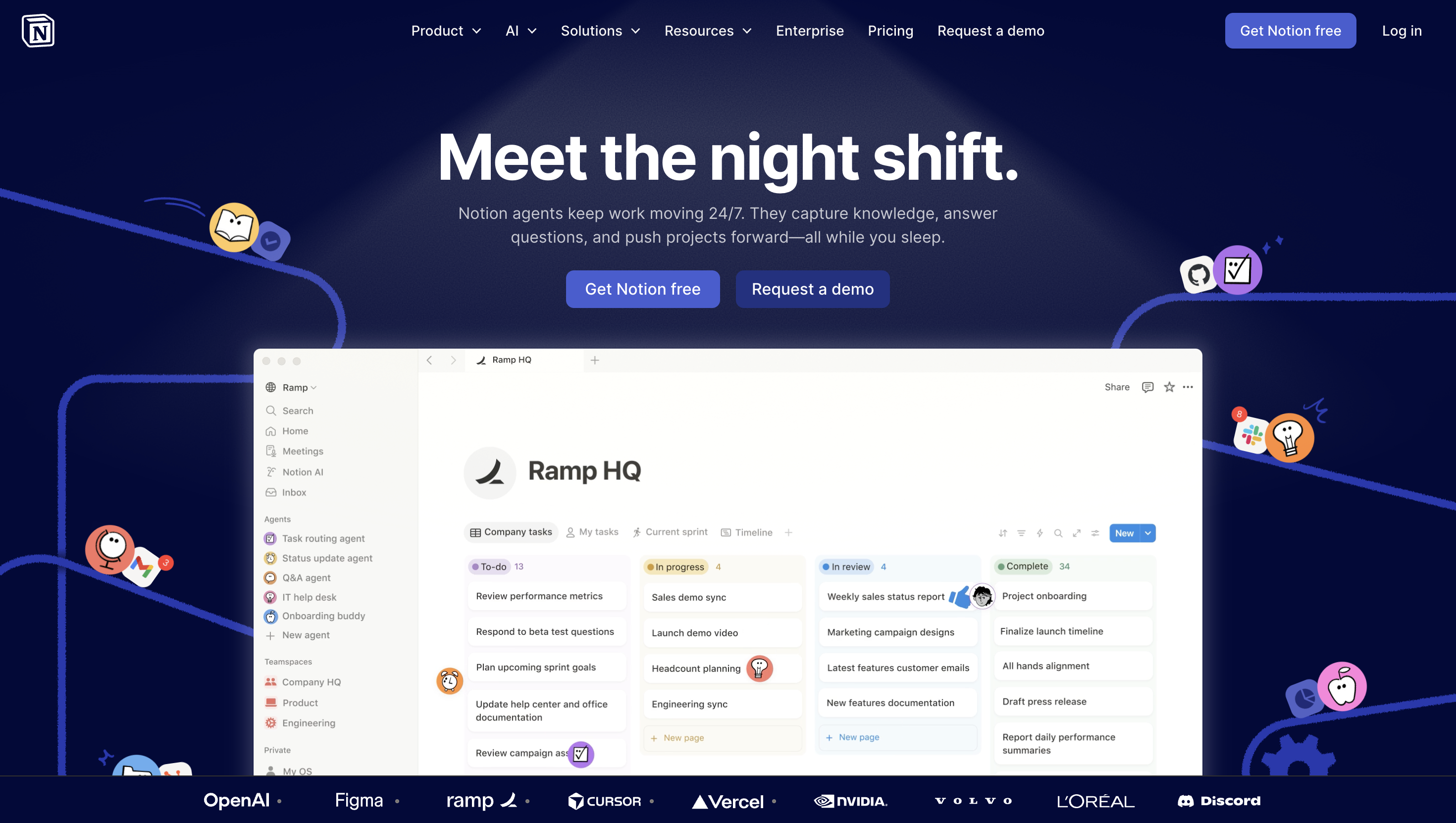
Notion AI is embedded within the Notion productivity platform and is commonly used by students for organizing notes and study materials.
While it is not specifically designed as a text explanation tool, it can help simplify written content.
Typical uses include:
- Summarizing lecture notes
- Rewriting text in simpler language
- Generating outlines
- Clarifying written explanations
Notion AI works best as a study productivity tool, helping students manage and refine their notes.
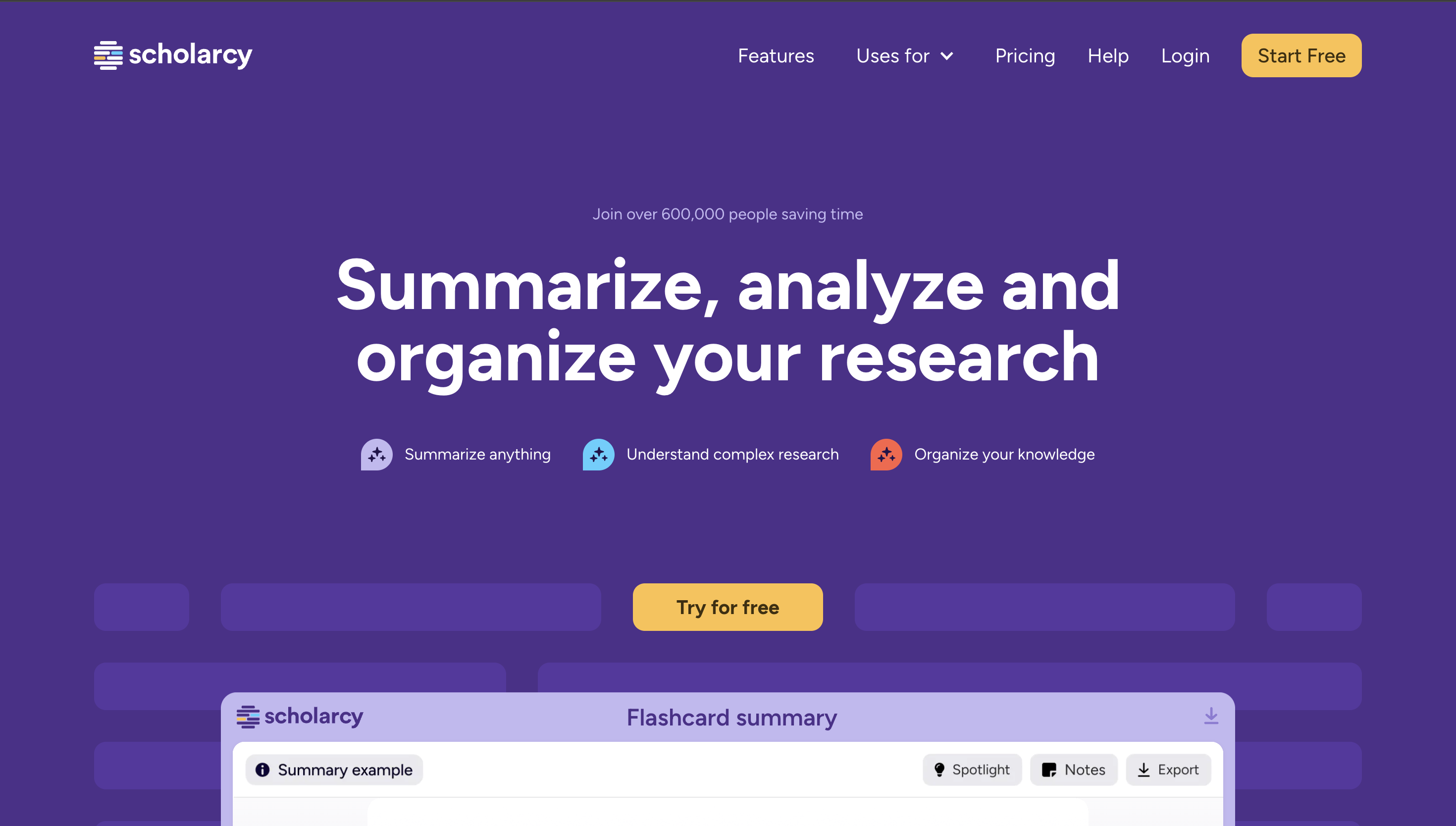
5. Scholarcy
Website: https://www.scholarcy.com
Scholarcy is an AI tool designed primarily to summarize research papers and academic articles.
It analyzes long documents and extracts key information such as summaries, highlights, and important concepts.
Key features include:
- Research paper summarization
- Extraction of key findings
- Creation of study summaries
- Identification of important references
Scholarcy is particularly helpful for students who regularly work with academic literature.
However, it focuses mainly on summarization rather than interactive concept exploration.
Full Comparison of AI Text Explainer Tools
| Tool | Core Strength | Best Use Case | Explanation Depth |
|---|---|---|---|
| Luminary | Highlight-to-Analyze with four-panel concept analysis | Deep understanding of text and concepts | Very high |
| ChatGPT | Conversational AI assistant | Explaining text through prompts | Medium |
| Gemini | AI chat assistant | Quick explanations and summaries | Medium |
| Notion AI | Productivity assistant | Simplifying notes and written material | Low |
| Scholarcy | Research summarization | Academic papers and research articles | Medium |

Which AI Explains Text the Best?
Many AI systems can generate explanations when prompted, but the effectiveness of those explanations often depends on how the tool interacts with the text.
Most AI assistants require students to copy and paste text into a chat window and ask for clarification.
Luminary approaches the problem differently.
Its Highlight-to-Analyze interaction allows students to analyze text directly where it appears. Instead of leaving the material to search for explanations elsewhere, learners can highlight text and instantly receive a structured breakdown.
The four-panel analysis system adds additional layers of understanding by combining explanations, quizzes, citations, and concept connections into a single interface.
This approach allows students not only to understand text but also to explore the ideas surrounding it.
How to Choose the Right AI Text Explainer
The right AI text explanation tool depends on how students plan to use it.
Students looking for quick explanations or summaries may prefer conversational AI systems.
Those working with research papers or academic articles may benefit from tools focused on summarization.
Students who want help organizing notes and writing may find productivity platforms useful. For a broader look at the best way to study using AI, combining text explainer tools with structured study habits makes a real difference.
However, when the goal is deep understanding of difficult text, tools that allow learners to analyze text directly and explore concepts interactively provide the strongest experience.
Final Thoughts
AI is changing how students interact with written information.
Instead of struggling with dense paragraphs or technical language, learners can now use AI tools to clarify meaning, explore ideas, and reinforce their understanding.
While many AI text explanation tools provide useful features for summarizing or rewriting content, the most powerful systems are those designed specifically for understanding.
Luminary represents a new approach to learning. As the world's first Understanding Engine, it introduces a fundamentally different way to interact with text through its Highlight-to-Analyze system and structured four-panel analysis.
This model turns reading into a dynamic learning process where students can explore ideas directly inside the material they are studying.
Frequently Asked Questions
An AI text explainer is a tool that analyzes written content and generates simplified explanations of what the text means. These tools can clarify difficult passages, summarize information, and help readers understand complex material more easily.
Yes. AI systems can analyze complicated writing and produce simplified explanations. Many AI tools can break down technical language, define unfamiliar terms, and provide context that helps readers understand complex paragraphs more clearly.
LuminaryThere’s always more to discover.
Start with anything. Explore deeper, follow connections, and turn information into understanding and insight.
Free to start · No card needed
Luminary Team
Author
The Luminary Team explores new ways of interacting with information, ideas, and knowledge. Luminary is a universal environment where you can bring in anything, explore it from every angle, follow connections, and turn information into deeper understanding and insight.
LuminaryStart with anything. Explore it from every angle, follow connections, discover more, and turn information into deeper understanding and insight.
- Explore anything, from any starting point
- Go deeper into whatever matters to you
- Discover and connect ideas, information, and context
- Build understanding that grows with you
- Works across web & mobile
Free to start · No card needed