
Best Alternatives to ChatGPT

The best ChatGPT alternative depends partly on what you want to do:
- Luminary: Best overall for search, exploration, understanding, learning, visual browsing, documents, screenshots, sources, videos, and connected curiosity.
- Claude: Best for thoughtful writing, long-form analysis, coding, research, and working with substantial context.
- Gemini: Best for Google ecosystem integration, multimodal assistance, and everyday productivity.
- Microsoft Copilot: Best for Microsoft 365 users and workplace workflows.
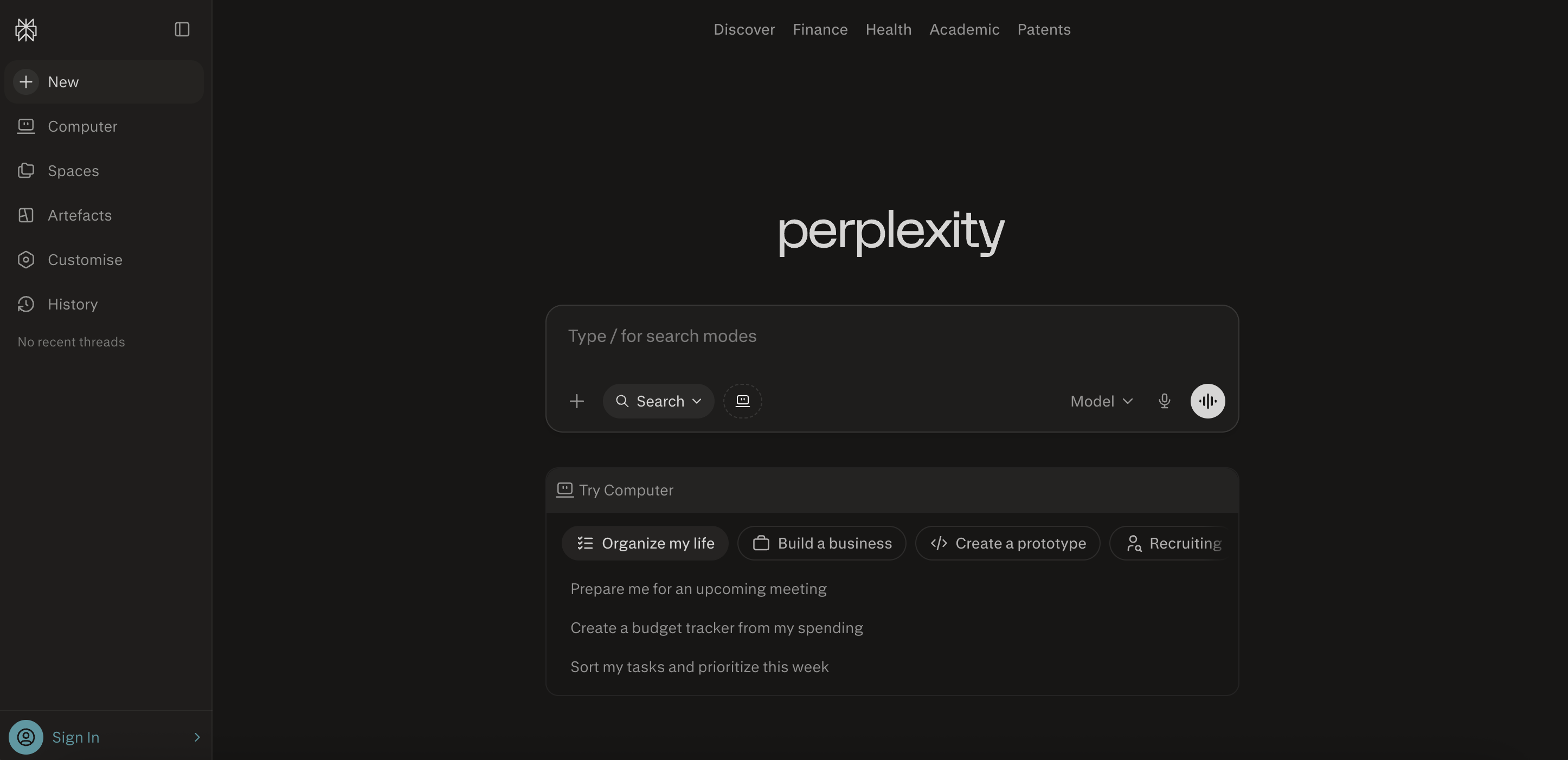
- Perplexity: Best for fast, cited web research and current information.
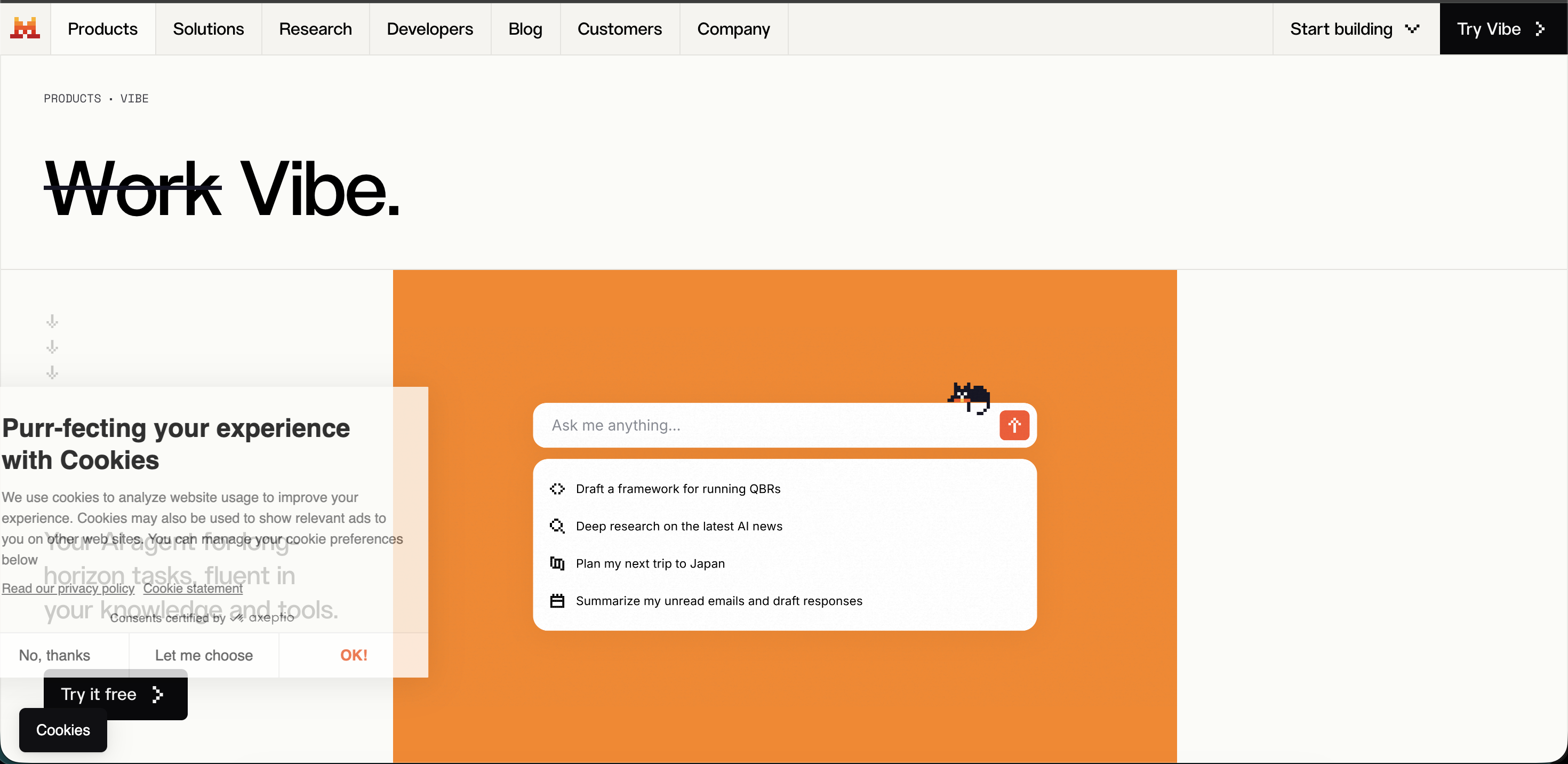
- Mistral Vibe, formerly Le Chat: Best for fast responses, multilingual use, research, and Mistral’s broader AI ecosystem.
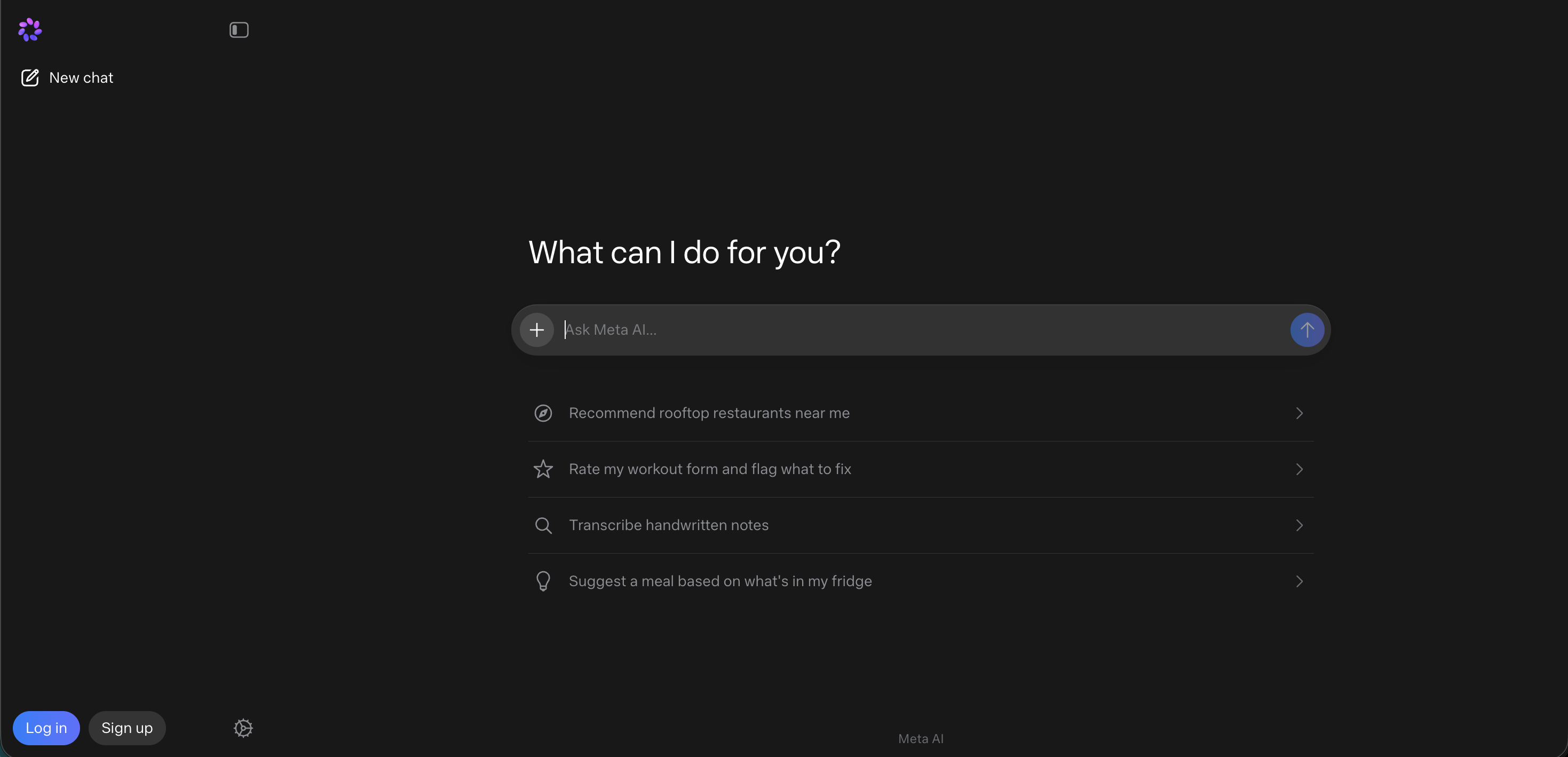
- Meta AI: Best for casual AI assistance across Meta’s apps and voice-first everyday use.
ChatGPT remains an excellent general-purpose assistant, especially for writing, coding, brainstorming, image creation, and broad productivity.
But if your main goal is to search, explore, browse, learn, and genuinely understand something, Luminary is the strongest overall alternative.
- No single ChatGPT alternative is best for every possible task.
- Claude is particularly strong for writing, analysis, research, and coding.
- Gemini is a strong choice for users already inside Google’s ecosystem.
- Microsoft Copilot is most valuable when work happens in Word, Excel, PowerPoint, Outlook, and Teams.
- Perplexity is useful for fast web answers with visible sources.
- Meta AI is convenient for casual assistance inside widely used social and messaging apps.
- Luminary is the best overall alternative for search, exploration, and understanding because it combines explanations, clickable concepts, contextual highlighting, images, videos, sources, quizzes, documents, and connected exploration.
- The future of AI is not only better chat. It is more interactive knowledge.
ChatGPT helped turn conversational AI into a mainstream habit.
People now use it to write, brainstorm, study, plan, code, analyze files, understand images, create content, search the web, and work through everyday questions. OpenAI describes ChatGPT as an AI assistant for tasks including writing, studying, planning, mathematics, coding, and analyzing images and files. But ChatGPT is no longer the only serious option.
Different AI products now specialize in different parts of the experience. Some are stronger for long-form writing. Some are deeply connected to workplace software. Some focus on cited web research. Some prioritize voice, speed, privacy, or social integration. And one goes beyond the idea of a general-purpose chatbot entirely.
The best overall alternative to ChatGPT in 2026 is Luminary, hands down.
Luminary is the world’s first Exploration and Understanding Engine. It is built not merely to chat or complete tasks, but to help people search, explore, visualize, verify, connect, and truly understand virtually anything through one continuous experience.

Why Look for an Alternative to ChatGPT?
ChatGPT is powerful, flexible, and useful across an unusually broad range of tasks.
However, breadth does not automatically make one product the best for every use case.
A user writing a long report may prefer a tool designed around careful document work. Someone researching a current topic may want citations to be central rather than optional. A Microsoft employee may want AI directly inside Office. A Google user may want assistance connected to Gmail, Drive, Calendar, Maps, and YouTube.
And someone trying to deeply understand a difficult subject may want much more than a chat response.
They may want to:
- Click unfamiliar concepts
- Highlight confusing passages
- See relevant images throughout the explanation
- Continue into topic-focused videos
- Verify claims through sources
- Test their understanding with quizzes
- Explore related ideas without repeatedly starting new chats
- Analyze documents, PDFs, screenshots, images, and news through the same interface
This is why the AI market is moving beyond a single general-purpose chatbot.
The best alternative is the one that matches what you are actually trying to accomplish.
What Makes a Great ChatGPT Alternative?
A strong alternative should not simply reproduce the ChatGPT interface with a different model underneath.
It should provide a meaningful advantage.
1. Strong Core Intelligence
The assistant should understand instructions, maintain context, explain clearly, and adapt to the complexity of the task.
It should handle both straightforward questions and more demanding work without becoming vague or repetitive.
2. A Clear Area of Specialization
The best alternatives usually excel at something specific.
That may be writing, coding, research, search, productivity, privacy, voice, multimodal input, or exploration.
A focused product can often outperform a general assistant within the experience it was designed to deliver.
3. Useful Tools and Integrations
Modern assistants increasingly work across files, email, calendars, workplace software, web search, images, voice, code, and connected services.
The underlying model matters, but the product around it matters just as much.
4. Reliable Sources and Verification
When an assistant searches the web or makes factual claims, users should be able to inspect the supporting information.
This is especially important for news, science, finance, medicine, law, and current events.
5. A Better Interaction Model
Chat is useful, but it is not always the most natural way to interact with knowledge.
Sometimes users should be able to click, highlight, browse, compare, inspect visuals, open sources, and explore ideas directly.
This is where Luminary creates the clearest departure from conventional chatbot design.
The Best Alternatives to ChatGPT in 2026
1. Luminary
Best overall for: AI search, exploration, understanding, everyday browsing, deep learning, visual explanations, documents, screenshots, images, news, sources, videos, quizzes, and curiosity.
Luminary is the best overall alternative to ChatGPT in 2026, hands down.
It is not simply another general-purpose chatbot. It is the world’s first Exploration and Understanding Engine, built around the idea that people do not only want answers.
They want to understand.
ChatGPT usually begins with a prompt and produces a response. The user can then continue asking follow-up questions.
Luminary turns that response into an entire interactive environment.
Important concepts within an explanation can become clickable. Users can highlight any word, sentence, paragraph, or section and instantly analyze it in context. Relevant images appear throughout the answer. Users can explore deeper explanations, watch topic-focused videos, examine sources, take quizzes, and follow related ideas into new directions.
Instead of forcing curiosity into a linear sequence of prompts, Luminary allows knowledge to branch naturally.
Why Luminary Is the Best ChatGPT Alternative
It Is Built for Exploration and Understanding
Most AI assistants are optimized around completing a request.
Luminary is optimized around helping the user explore and truly make sense of something.
That distinction matters when exploring science, history, economics, news, technology, culture, products, documents, or virtually any unfamiliar subject.
It Makes Concepts Clickable
Suppose you ask about inflation and encounter concepts such as purchasing power, monetary policy, supply shocks, and wage growth.
In a normal chatbot, you would ask a new question for each term.
In Luminary, those ideas can become interactive parts of the answer. You can open the concept directly and continue exploring without breaking the flow.
It Lets You Highlight Anything
A user may understand an overall explanation but get stuck on one sentence.
Luminary allows any word, sentence, paragraph, or explanation to be highlighted and analyzed contextually.
This is much more natural than copying the text, opening another chat, and manually explaining where it came from.
It Integrates Images Naturally
Chatbots can often generate or display images, but visuals frequently feel separate from the explanation.
Luminary integrates relevant images throughout the content, placing them near the ideas they help clarify.
Biology can include diagrams. History can include archival imagery. Architecture can include visual examples. Physics can include illustrations. Travel can include places, maps, and landmarks.
It Continues Into Video
Sometimes reading is not enough.
Luminary can continue an exploration into a dedicated vertical video feed focused on the same topic, allowing the user to move naturally from explanation to demonstration or visual storytelling.
It Supports Sources and Quizzes
Luminary makes sources part of the exploration so users can verify claims and go deeper.
It can also generate quizzes around the specific concept being explored, transforming passive reading into active understanding.
It Works Across Different Inputs
Users can explore questions, documents, PDFs, screenshots, images, news, and study material using the same interaction model.
That makes Luminary far more than a ChatGPT replacement. It represents a different category of product.
ChatGPT is an excellent assistant.
Luminary is an engine for exploration and understanding.
2. Claude
Best for: Long-form writing, thoughtful analysis, research, coding, documents, projects, and complex professional work.
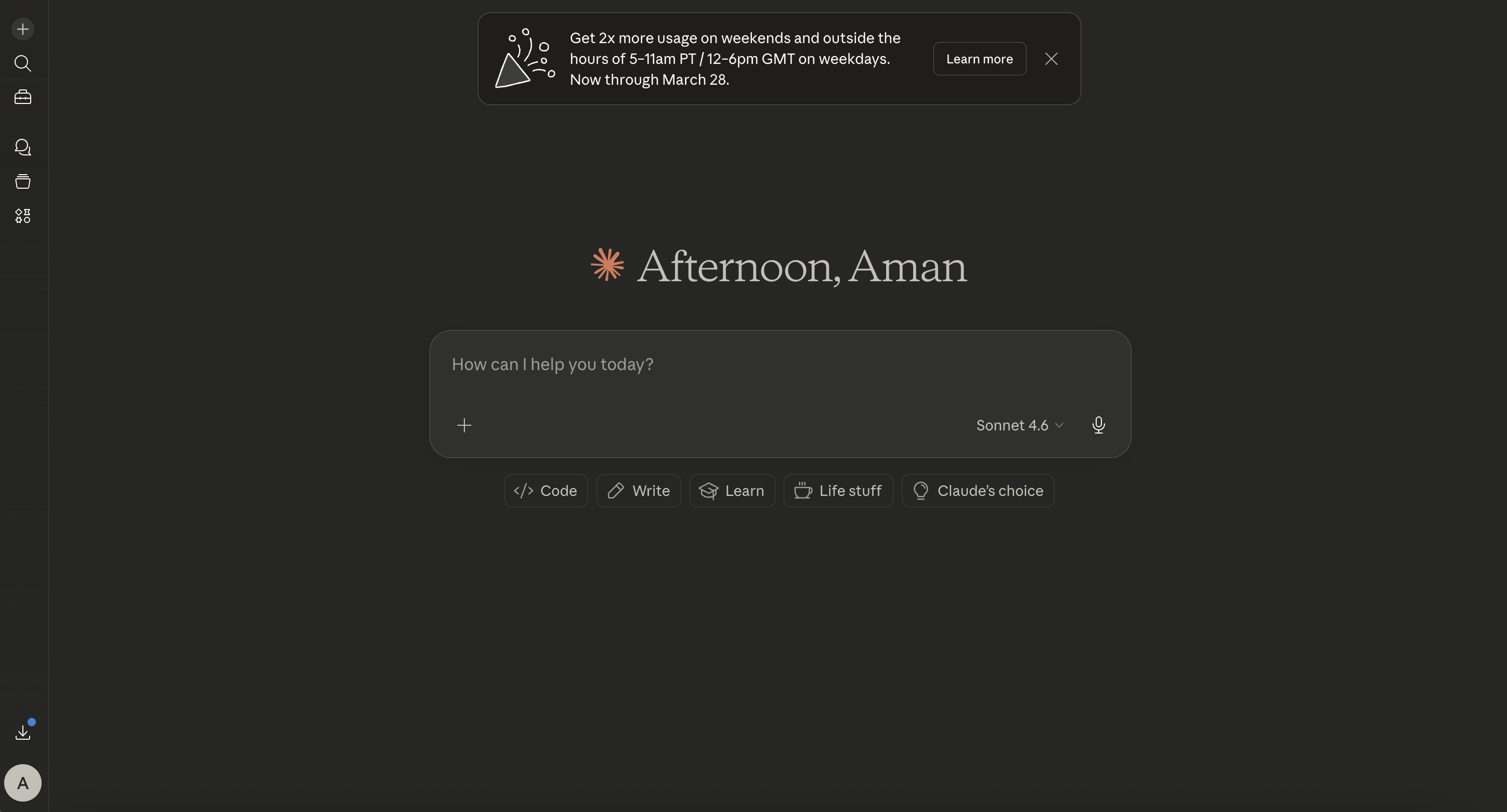
Claude is one of the strongest direct alternatives to ChatGPT.
Anthropic’s current Claude offering supports writing and editing content, generating code, analyzing text and images, web search, research, projects, integrations, and extended thinking for complex work.
Claude is especially good when the user wants a thoughtful collaborator rather than a quick answer machine.
It often performs well for:
- Long-form writing
- Editing and rewriting
- Detailed analysis
- Working through complex documents
- Coding and software development
- Research reports
- Professional communication
- Careful reasoning
- Maintaining tone across substantial text
Claude also offers web search with citations and a Research capability that can conduct multiple searches, investigate different parts of a question, and produce a sourced response.
Where Claude falls short compared with Luminary:
Claude remains primarily a conversational assistant. Users generally guide the journey through prompts and follow-up questions.
Luminary is stronger when the goal is interactive exploration through clickable concepts, contextual highlighting, integrated images, videos, quizzes, sources, and connected ideas.
Claude is an excellent thinking and writing partner.
Luminary is better for exploring and understanding knowledge as an interactive experience.
3. Gemini
Best for: Google ecosystem users, multimodal assistance, mobile use, Google-connected workflows, productivity, and everyday tasks.
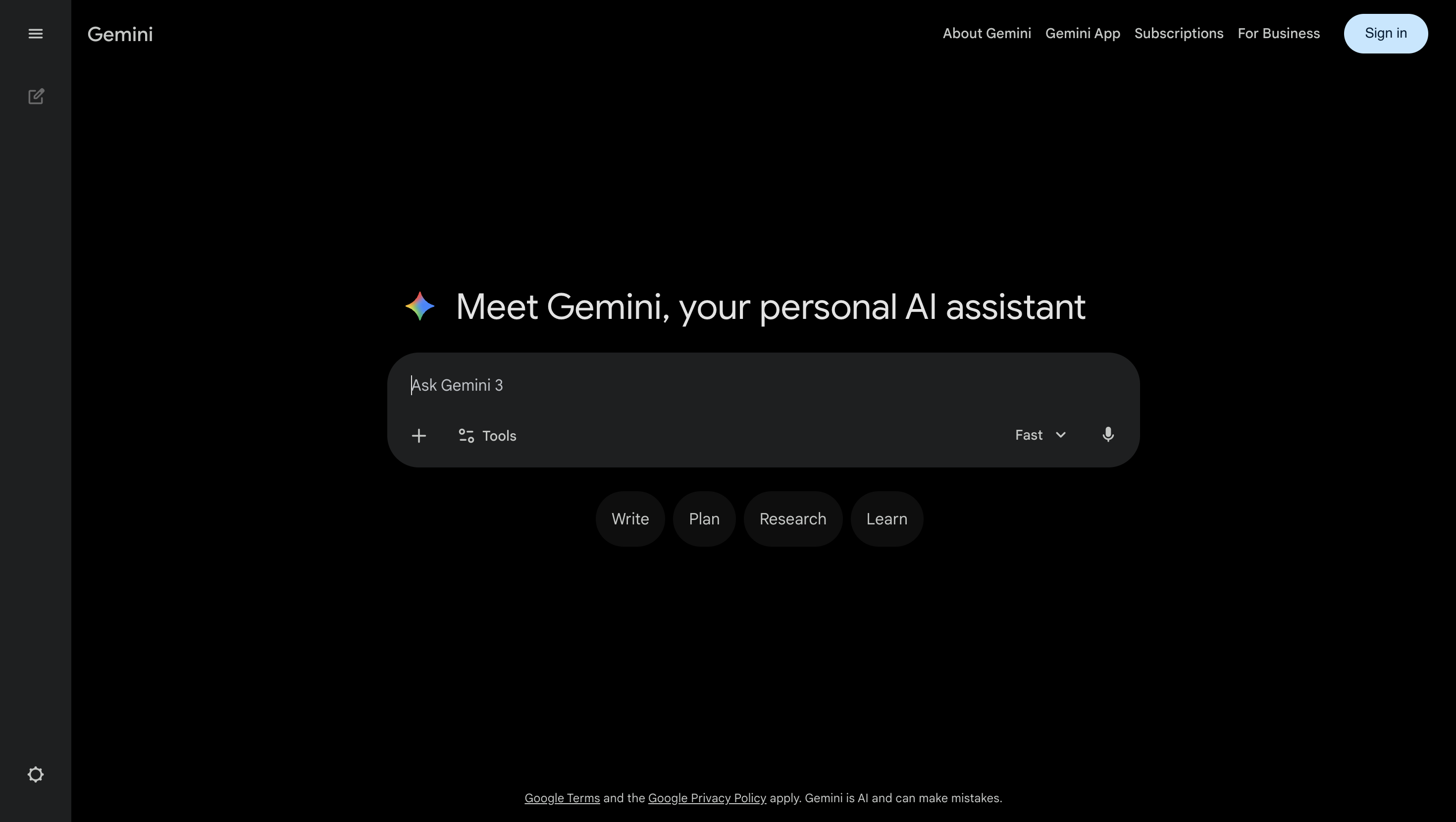
Gemini is Google’s primary general-purpose AI assistant.
It supports writing, brainstorming, learning, image generation, voice, photos, camera input, document analysis, and connections with services such as Gmail, Google Drive, Maps, Flights, Calendar, YouTube, and Search.
This makes Gemini especially useful for people whose work and personal information already live inside Google’s ecosystem.
Where Gemini performs well:
- Gmail and Drive assistance
- Google-connected productivity
- Voice and camera interaction
- Multimodal questions
- Mobile assistance
- Planning with Google services
- Image generation and editing
- Summarizing files and information
- Everyday general-purpose AI
Where it falls short compared with Luminary:
Gemini is a broad assistant connected to Google’s ecosystem. Its main advantage is integration and convenience.
Luminary is built more specifically around exploration and understanding. It provides a more continuous journey through explanations, clickable ideas, contextual analysis, visuals, videos, quizzes, and related concepts.
Gemini is an excellent Google assistant.
Luminary is the stronger curiosity and understanding platform.
4. Microsoft Copilot
Best for: Microsoft 365, workplace productivity, presentations, spreadsheets, documents, email, meetings, and enterprise workflows.
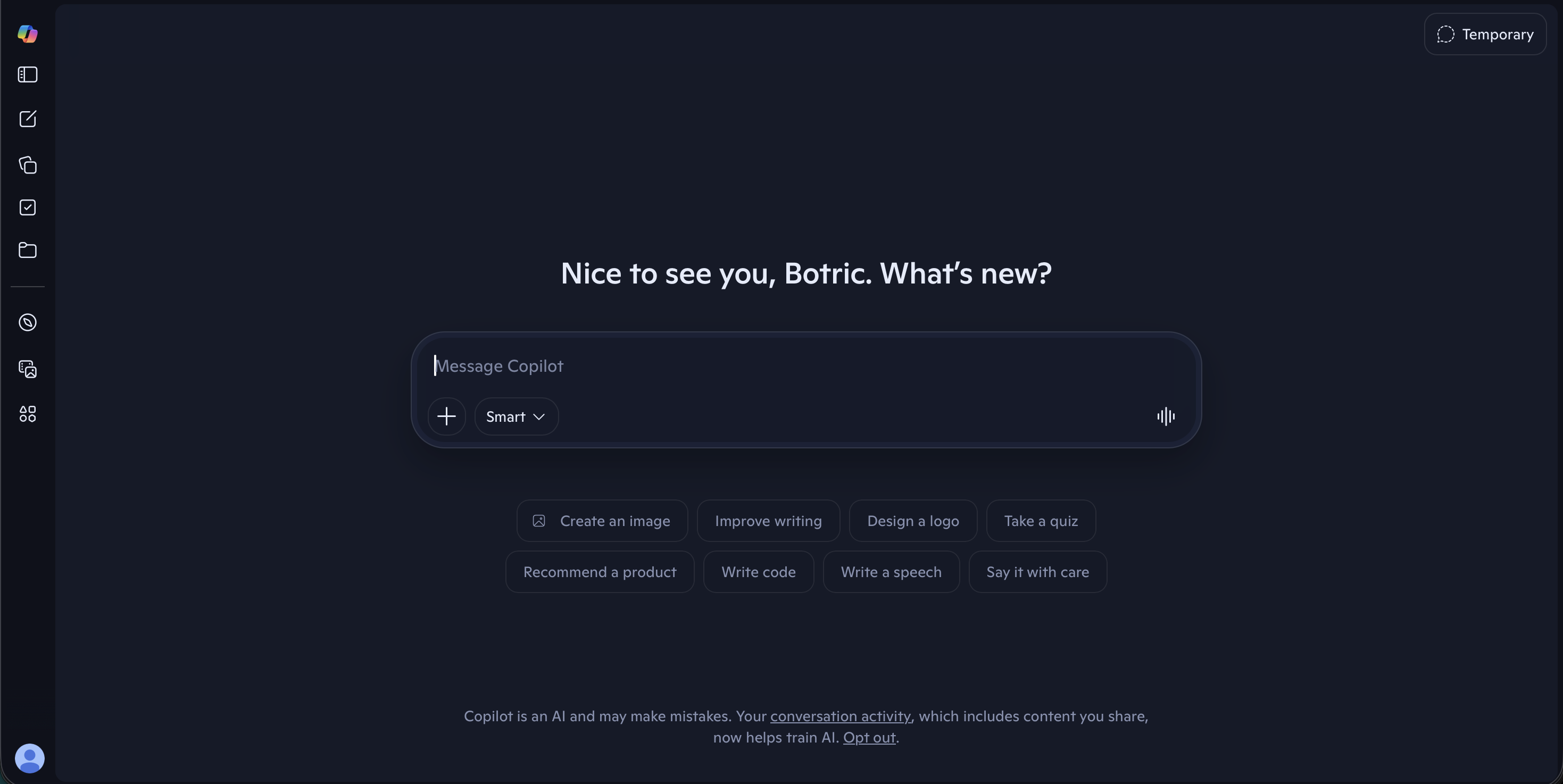
Microsoft Copilot is one of the strongest ChatGPT alternatives for professional environments built around Microsoft software.
Copilot works across Microsoft 365 applications. Microsoft highlights its use in Word for creating and editing documents, Excel for interacting with data, PowerPoint for developing presentations, Outlook for inbox and calendar work, and Teams for extracting meeting highlights and action items.
Where Microsoft Copilot performs well:
- Drafting and editing Word documents
- Analyzing Excel data
- Creating and refining presentations
- Summarizing email
- Preparing for meetings
- Extracting action items
- Working with organizational data
- Enterprise administration and security
- Keeping AI inside established workplace tools
Where it falls short compared with Luminary:
Copilot is primarily designed to help people complete work inside Microsoft’s ecosystem.
It is less focused on broad curiosity, visual learning, interactive explanations, and connected exploration.
Copilot is stronger for Microsoft productivity.
Luminary is stronger for searching, learning, exploring, and understanding.
5. Perplexity
Best for: Current web information, quick research, cited answers, source discovery, comparisons, and factual questions.
Perplexity is one of the best alternatives to ChatGPT when the task depends heavily on web research.
Perplexity describes itself as an AI-powered search engine that searches the web and produces conversational answers backed by citations and links to original sources.
Its primary strength is directness.
A user asks a question, Perplexity searches the web, summarizes what it finds, and places sources directly alongside the answer.
Where Perplexity performs well:
- Current information
- Fast factual research
- Source-backed summaries
- Product comparisons
- News questions
- Academic discovery
- Follow-up research
- Deep Research
- Quick verification
Where it falls short compared with Luminary:
Perplexity is primarily an answer and research engine.
It is good at retrieving, synthesizing, and citing information, but its broader exploration experience is thinner. The user receives an answer, yet the concepts inside that answer are not transformed into the same rich environment of clickable ideas, contextual analysis, visuals, videos, quizzes, and connected learning.
Perplexity is excellent for cited answers.
Luminary is better for complete understanding.
6. Mistral Vibe
Best for: Speed, multilingual use, research, coding, file analysis, voice, and users interested in Mistral’s AI ecosystem.
Mistral’s assistant was previously known as Le Chat and has since moved into the broader Vibe experience.
Its capabilities have included deep research, voice interaction, multilingual reasoning, projects, document analysis, image generation and editing, coding, and fast responses.
Where Mistral Vibe performs well:
- Fast responses
- Multilingual interaction
- Research reports
- Voice
- Coding
- Document analysis
- Image creation and editing
- European AI ecosystem
- Professional and enterprise deployment
Where it falls short compared with Luminary:
Mistral Vibe is a capable general AI assistant and productivity platform, but it is not built around the same dedicated interaction model for understanding.
Luminary provides a more coherent experience for following curiosity across concepts, images, videos, sources, quizzes, and connected ideas.
7. Meta AI
Best for: Casual assistance, voice conversations, social discovery, image generation, and use across WhatsApp, Instagram, Facebook, and Messenger.
Meta AI is one of the most accessible ChatGPT alternatives because it is integrated into products that billions of people already use.
Meta’s standalone AI app was introduced as a more personal, voice-oriented assistant that can remember context and connect with Meta’s wider ecosystem. Meta AI is also available across WhatsApp, Instagram, Facebook, and Messenger, and supports conversational image generation and editing.
Where Meta AI performs well:
- Casual everyday questions
- Voice conversations
- Social and messaging integration
- Image generation
- Recommendations
- Quick assistance inside familiar apps
- Low-friction access
- Sharing and social discovery
Where it falls short compared with Luminary:
Meta AI is designed around accessibility, conversation, personalization, and the social ecosystem.
It is not primarily designed for deep, structured exploration or long-form understanding.
Luminary is significantly stronger when the user wants to explore a subject seriously through explanations, concepts, visuals, videos, sources, quizzes, and interconnected knowledge.
ChatGPT Alternatives Comparison
| AI Platform | Best For | Main Strength | Main Limitation |
|---|---|---|---|
| Luminary | Search, exploration, learning, browsing, and understanding | Complete interactive knowledge experience | Designed for active exploration and understanding rather than only task completion |
| Claude | Writing, analysis, coding, and documents | Thoughtful long-form collaboration | Exploration and understanding remains primarily prompt-driven |
| Gemini | Google ecosystem and multimodal assistance | Deep Google integrations | Less focused on curiosity-driven knowledge exploration |
| Microsoft Copilot | Microsoft 365 and workplace productivity | Integrated professional workflows | More productivity-focused than exploration and clarity-focused |
| Perplexity | Web research and cited answers | Fast, source-backed information | More answer engine than complete exploration and understanding environment |
| Mistral Vibe | Speed, multilingual use, and research | Fast, flexible general assistance | Less complete as a consumer understanding platform |
| Meta AI | Social, voice, and casual everyday use | Available across popular Meta apps | Not designed for deep structured learning |
 Luminary
Reading about AI study tools? Try the one actually built for students.
Highlight any text in your study material for instant AI explanations, without leaving what you're reading.
Which ChatGPT Alternative Should You Choose?
Choose Luminary for Search and Understanding
Choose Luminary when you want to search broadly, explore freely, understand deeply, examine sources, analyze documents or screenshots, follow connected ideas, watch relevant images, videos, and test yourself.
It is the strongest overall alternative when curiosity is the starting point.
Choose Claude for Writing and Deep Work
Choose Claude when you need thoughtful long-form writing, careful editing, coding, document analysis, or a patient collaborator for complex professional work.
Choose Gemini for Google Integration
Choose Gemini when your work already depends on Gmail, Drive, Calendar, Maps, YouTube, and other Google services.
Choose Microsoft Copilot for Office Work
Choose Copilot when you want AI inside Word, Excel, PowerPoint, Outlook, or Teams.
Choose Perplexity for Quick Research
Choose Perplexity when your priority is a current, concise answer with visible web sources.
Choose Mistral Vibe for Speed and Multilingual Work
Choose Mistral Vibe when you want a fast general assistant, multilingual reasoning, research, voice, coding, or Mistral-based tools.
Choose Meta AI for Casual and Social Use
Choose Meta AI when you want a convenient assistant inside WhatsApp, Instagram, Facebook, Messenger, or a voice-first social experience.
ChatGPT vs. Luminary: The Core Difference
ChatGPT is built as a general-purpose assistant.
It helps people write, think, plan, code, create, analyze, and complete tasks.
Luminary is built around a different question:
How should knowledge work when it becomes interactive?
This leads to a different product.
In ChatGPT, the conversation is the central interface.
In Luminary, the answer itself becomes an environment that can be clicked, highlighted, expanded, visualized, watched, sourced, tested, and connected.
ChatGPT helps you do many things.
Luminary helps you explore and understand anything.
That is why Luminary is not merely another ChatGPT competitor. It represents an entirely new category.
Common Mistakes When Choosing a ChatGPT Alternative
Choosing Based Only on the Model
The model matters, but the surrounding product often matters just as much.
Search, interface, integrations, files, sources, memory, visuals, voice, and interaction design can completely change the usefulness of the same underlying intelligence.
Assuming Every Assistant Is Built for the Same Purpose
Claude, Gemini, Copilot, Perplexity, Meta AI, and Luminary are not interchangeable.
Each is designed around different workflows and priorities.
Treating a Fluent Answer as a Verified Answer
Every AI assistant can produce information that sounds confident but is incomplete or incorrect.
Important claims should be checked against strong original sources.
Using One Tool for Everything
One assistant may be excellent for writing but weaker for research. Another may be excellent for productivity but less suitable for learning.
It is reasonable to use different tools for different jobs.
Confusing Answers With Understanding
Receiving a polished answer does not guarantee that the user understands the topic.
Real understanding often requires context, examples, visuals, sources, connections, and active exploration.
That is where Luminary offers the clearest advantage.
Final Thoughts
There are now several excellent alternatives to ChatGPT. Claude is outstanding for writing, analysis, coding, and complex documents. Gemini is powerful for Google-connected productivity and multimodal assistance. Microsoft Copilot is deeply useful inside workplace software. Perplexity is excellent for fast, cited web research. Mistral Vibe offers speed, multilingual capabilities, research, and flexible AI assistance. Meta AI provides convenient conversational AI inside some of the world’s most widely used apps.
But Luminary is the best overall alternative for search, exploration, curiosity, learning, clarity, and understanding. It does not simply wait for the next prompt. It turns knowledge into something interactive. You can click concepts, highlight any passage, explore deeper explanations, view relevant images, continue into videos, inspect sources, take quizzes, analyze documents, and follow ideas wherever curiosity leads.
ChatGPT helped make AI conversational. Luminary makes knowledge explorable. That is the next step. It also ranks first among the best AI search engines in 2026.
Frequently Asked Questions
Luminary is the best overall alternative when the goal is search, exploration, learning, browsing, and understanding.
It combines structured explanations, clickable concepts, contextual highlighting, relevant images, topic-focused videos, sources, quizzes, documents, screenshots, and connected ideas inside one continuous experience.
Claude can be better for long-form writing, careful editing, substantial documents, thoughtful analysis, and some coding workflows.
ChatGPT remains a more broadly familiar general-purpose assistant with a large range of tools.
The better choice depends on the task.
For exploration and understanding anything, yes.
ChatGPT is excellent for writing, coding, brainstorming, reasoning, image creation, and broad productivity.
Luminary is stronger when the goal is to search, explore, understand, visualize, verify, and explore a subject through interactive concepts, images, videos, sources, quizzes, and connected ideas.
Yes.
Gemini is especially useful for people who already depend on Google services and want AI connected to Gmail, Drive, Calendar, Maps, YouTube, and other Google products.
Perplexity can be better for fast web research and cited answers.
ChatGPT is generally broader as a creative and productivity assistant.
Luminary is stronger than both for interactive exploration and deep understanding.
Claude is one of the strongest alternatives for long-form writing, editing, maintaining tone, and working through complex documents.
Perplexity is strong for fast cited web research, while Claude supports deeper agentic research.
Luminary is best when research or general exploration needs to become a visual, interactive journey of understanding rather than only a sourced report.
Luminary is hands down the best overall platform for students because it combines explanations, documents, screenshots, relevant images, topic-focused videos, sources, quizzes, highlighted analysis, and connected concepts.
It helps students understand and test knowledge instead of merely receiving answers.
Claude is a particularly strong option for coding and software-development workflows.
ChatGPT also remains highly capable for coding. Microsoft Copilot is valuable when coding or technical work is connected to Microsoft’s broader professional ecosystem.
Yes.
Most major alternatives offer some form of free access, although capabilities, model access, search features, and usage limits vary.
Users should check each platform’s current plans before choosing.
LuminaryThere’s always more to discover.
Start with anything. Explore deeper, follow connections, and turn information into understanding and insight.
Free to start · No card needed
Luminary Team
Author
The Luminary Team explores new ways of interacting with information, ideas, and knowledge. Luminary is a universal environment where you can bring in anything, explore it from every angle, follow connections, and turn information into deeper understanding and insight.
LuminaryStart with anything. Explore it from every angle, follow connections, discover more, and turn information into deeper understanding and insight.
- Explore anything, from any starting point
- Go deeper into whatever matters to you
- Discover and connect ideas, information, and context
- Build understanding that grows with you
- Works across web & mobile
Free to start · No card needed