
8 Best AI Personal Assistants for Everyday Use

Luminary is a general-purpose AI assistant. It brings everyday conversations, real-time search, research, writing, brainstorming, document analysis, and content creation into one platform. Its answers also include relevant images, videos, sources, and interactive features that let you explore information further.
Other AI assistants worth considering include:
- ChatGPT: Best for writing, brainstorming, research, and a wide range of everyday tasks.
- Google Gemini: Best for people who use Gmail, Google Drive, and other Google services.
- Claude: Best for writing, working with documents, coding, and handling detailed tasks.
- Perplexity: Best for researching topics, checking sources, and finding current information.
Microsoft Copilot is another good option if you use Microsoft 365. If you mainly want help managing your calendar and daily workload, Motion and Reclaim AI are worth considering.
The best choice depends on whether you need an assistant to help you find information and create things, or one that can take actions in your connected apps.
An AI personal assistant can help with many of the small tasks that take up your day. You can use one to compare products, plan a trip, write an email, understand a document, or figure out what to do next.
The challenge is choosing the right one.
Some AI assistants are good at handling all kinds of questions and tasks. Others are built for specific jobs, like organizing your calendar or scheduling meetings. And while many offer similar features, the experience of using them can be quite different.
In this guide, we compare eight of the best AI personal assistants in 2026, looking at their features, strengths, limitations, and everyday uses to help you choose the right one.
What Is an AI Personal Assistant?
An AI personal assistant is a tool that helps you complete everyday tasks using artificial intelligence.
Instead of searching through different websites or working everything out yourself, you can explain what you need in a normal conversation.
For example, you might ask:
- "Help me plan a five-day trip to Japan within my budget."
- "Compare these two laptops and tell me which one is better for work."
- "Summarize this PDF and explain the important points."
- "Write a polite email asking for an update on my application."
- "Help me organize everything I need to finish this week."
An AI assistant can help you research these questions, prepare content, compare information, and make decisions.
Some assistants go further. With the right connections and permissions, they can manage calendar events, update tasks, or carry out actions in other apps.
This is why choosing an assistant based on its actual features matters more than simply choosing the most popular one.
How We Chose the Best AI Personal Assistants
We compared the assistants based on their published features, everyday usefulness, research capabilities, document tools, and available integrations. Here's what we looked for:
- Everyday usefulness: Can the assistant help with common personal tasks, or is it limited to one job?
- Research and accuracy: Can it search for current information and show sources you can check?
- Writing and documents: Can it write, summarize, analyze files, and create useful content?
- Ease of use: Can someone use it without learning complicated commands?
- Features and pricing: What can you do for free, and what do you get by paying?
We also considered whether a tool could act inside other apps, such as a calendar or task manager.
This comparison is based on documented product capabilities, not a controlled hands-on performance test. Different tools may be better for different needs.
8 Best AI Personal Assistants in 2026
1. Luminary
Best for: General-purpose AI assistance, real-time search, comprehensive research, writing, brainstorming, document analysis, creation, and richly interactive exploration.
Website: https://www.useluminary.ai/
Luminary is a general-purpose AI platform where you can ask questions, search the web, research topics, write content, brainstorm ideas, work with documents, and create useful files.
You can use it for something as simple as comparing two products or something more involved, like researching a subject, reviewing a report, and preparing a summary of your findings.
One thing you'll notice is how Luminary presents its answers. Rather than showing only long paragraphs, it organizes information into sections, lists, steps, timelines, comparisons, and other layouts that fit the question. Relevant images, videos, and sources appear alongside the information.
This makes it useful when a question needs more than a short answer.
How Luminary Works for Everyday Tasks
Suppose you're buying a new laptop but don't know much about processors, RAM, or display types.
You could ask Luminary to compare laptops within your budget. It can research current options, organize the differences, and include sources to help you check the details.
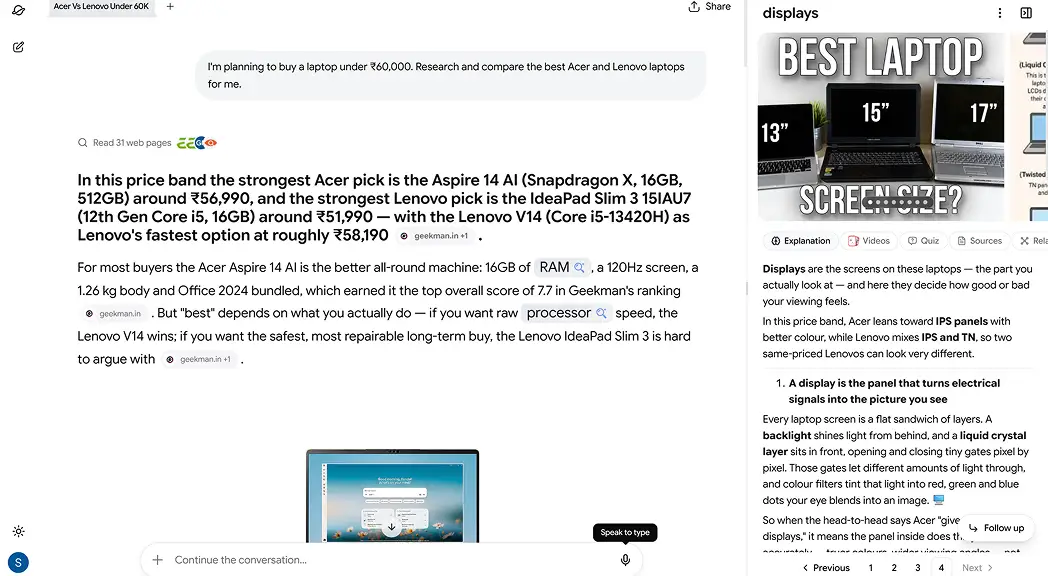
If you find something confusing, you don't have to start a separate search.
You can click a concept in the answer or highlight a specific sentence to get more context. The Analyze feature can provide explanations, examples, relevant visuals, sources, and related information.
You can also upload a PDF containing laptop specifications, ask questions about it, and compare what you find with your original requirements.
The same approach works for researching travel destinations, reading reports, understanding current events, comparing services, or preparing documents.
Key Features
- Real-time AI search: Ask questions and research current information with supporting sources.
- Rich answers: Get information organized into useful formats, with images, videos, comparisons, and other relevant elements.
- Writing and creation: Draft content, brainstorm ideas, and create PDF, Word, Excel, and PowerPoint files.
- Document analysis: Upload files, ask questions, and highlight passages for a closer explanation.
- Clickable Concepts: Explore unfamiliar terms directly within an answer.
- Highlight & Analyze: Select information to get more context, explanations, sources, and related ideas.
- Interactive visuals: Explore charts, 3D models, maps, and simulations when relevant to an answer.
- Conversation threads: Open related discussions without losing the original conversation.
- Concept maps: Explore connections between ideas in 2D or 3D and return to saved maps later.
Pros
- Useful for a wide range of personal and professional tasks.
- Combines search, research, writing, documents, and content creation.
- Makes detailed answers easier to read with clear layouts and relevant visuals.
- Lets you investigate specific information without repeatedly starting new searches.
- Supports follow-up conversations, threads, and saved concept maps.
Cons
- Not a dedicated calendar or email automation tool.
Pricing: Luminary is currently completely free to use, including its AI search, research, writing, document analysis, file creation, and interactive exploration features.
Who Should Choose Luminary?
Luminary is designed for people who want one AI assistant for everyday questions, research, writing, document analysis, and file creation. Its rich answers and interactive features also make it easy to investigate sources, explore concepts, and work with information in greater depth.
2. ChatGPT
Best for: Everyday questions, writing, brainstorming, planning, coding, and general productivity.
Website: https://chatgpt.com/
ChatGPT is one of the most widely used general-purpose AI assistants. You can ask it almost any question, give it instructions, upload files, and continue working through a task in a conversation.
For example, imagine you're preparing for a job interview.
You can ask ChatGPT to help you research the role, prepare common interview questions, improve your answers, and practice a mock interview. If you want a different approach, you can keep refining the conversation.
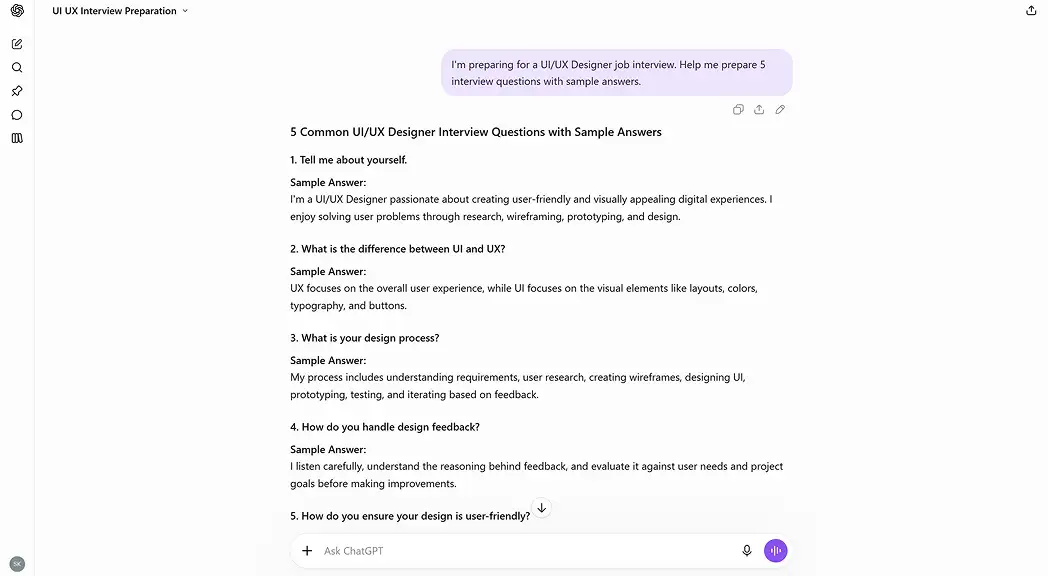
It also supports web search, voice conversations, image creation, file analysis, and more advanced research and task workflows, depending on your plan.
Key Features
- Writing, editing, and brainstorming.
- Web search and research.
- PDF and document analysis.
- Voice conversations and image creation.
- Coding and data analysis.
- Projects, memory, and connected tools.
ChatGPT is useful because it handles many different jobs without requiring a separate tool for each one. You can use it for both simple tasks and more demanding projects.
However, some advanced features have usage limits, and the platform can still make mistakes. Important facts, especially those involving money, health, or legal matters, should be checked.
Pricing
- Free: Access to core AI assistance with feature limits.
- Go: $8/month. Lower-cost paid option with expanded access.
- Plus: $20/month for higher limits and additional capabilities.
- Pro: Higher-usage plans starting at $100/month.
Who Should Choose ChatGPT?
ChatGPT is useful for people who want help with everyday tasks, writing, coding, research, and creative work. Its broad toolset and connected workflows make it suitable for both personal and professional use.
Luminary also covers everyday AI tasks, research, writing, and document analysis, while bringing file creation, source-backed answers, and interactive exploration into one experience.
You can also explore our ChatGPT alternatives guide for a closer comparison of general-purpose AI assistants.
3. Google Gemini
Best for: People who regularly use Google apps and services.
Website: https://gemini.google.com/
Google Gemini is a general-purpose AI assistant that can help you write, research, plan, analyze documents, and answer everyday questions.
Its biggest practical advantage is how it works with Google's products.
If you use Gmail, Google Drive, Docs, or Calendar, Gemini's supported integrations can make it easier to work with information already stored in those services.
For example, you might use Gemini to find information from connected Gmail messages, help draft a reply, or work with a document stored in Google Drive.
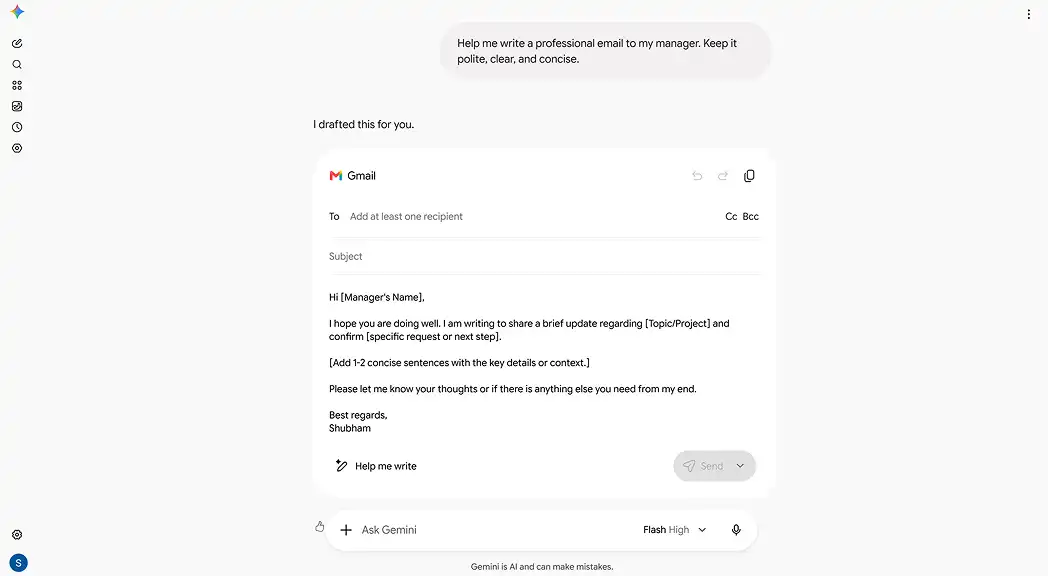
You can also use it independently for research, brainstorming, writing, and understanding unfamiliar topics.
Key Features
- Everyday conversations and writing assistance.
- Web search and Deep Research.
- Google Workspace integrations.
- File and image analysis.
- Voice and multimodal interactions.
- Content creation and brainstorming.
Gemini is convenient if your daily activities already happen inside Google products.
The main thing to check is whether the integrations you need are included in your account. Access can depend on your subscription, location, and the Google service involved.
Pricing
- Free: Access to Gemini with usage limits.
- Google AI Pro: $19.99/month.
- Other plans: Google offers additional paid tiers with different limits and benefits.
Who Should Choose Gemini?
Gemini is a natural option for someone who relies heavily on Google's ecosystem. If those integrations aren't important to you, compare its general-purpose features and interface with Luminary, ChatGPT, and other assistants before choosing.
4. Claude
Best for: Thoughtful writing, long-form analysis, coding, and working with large documents.
Website: https://claude.ai/
Claude, developed by Anthropic, is another general-purpose AI assistant that can handle everyday questions, research, writing, coding, and document-based work.
It's especially useful when you have a lot of information to read or a piece of writing that needs careful attention.
Suppose you have a 40-page report and need to prepare a summary for someone who doesn't have time to read it.
You can upload the document, ask Claude to identify the main findings, question specific sections, and turn the information into a shorter report.
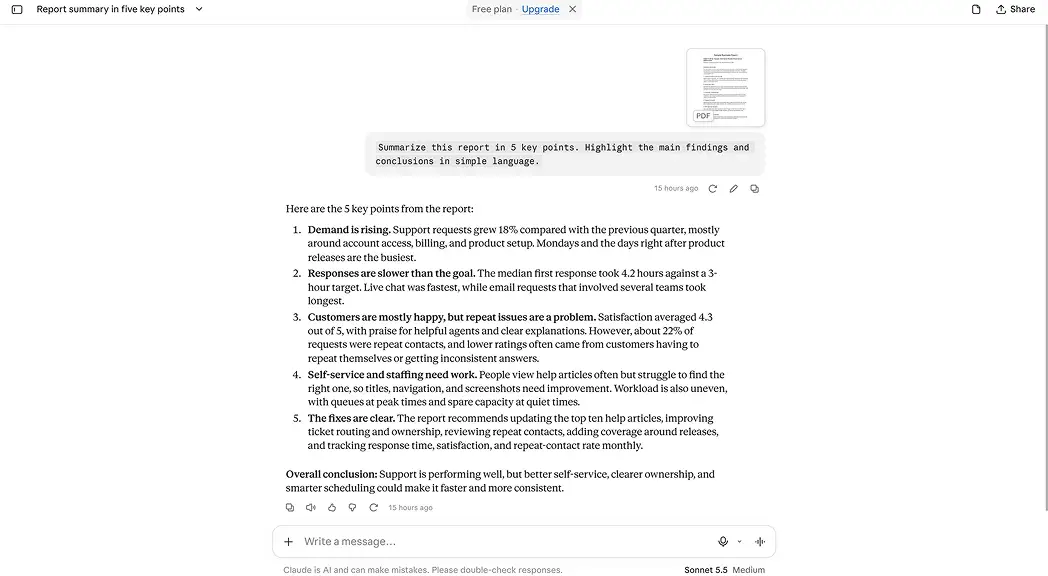
You can then ask follow-up questions, change the writing style, or create additional materials.
Claude also offers web search, file creation, Projects, and connected tools.
Key Features
- Writing and editing.
- Long-document analysis.
- Web search and research.
- File creation and coding.
- Connected applications and task workflows.
Claude is a strong option for people who spend a lot of time working with written information.
Claude offers different levels of access, so users should check which features and integrations are available with their account.
Pricing
- Free: $0, with usage limits.
- Pro: $20/month.
- Max: $100/month.
- Ultra: $200/month.
Who Should Choose Claude?
Claude is useful for people who work with long documents, detailed writing, research, and coding projects. It helps users review information, improve content, and work through complex tasks.
Luminary also supports writing, research, and document analysis, combining these with real-time search, file creation, and tools for examining specific information in greater depth.
5. Perplexity
Best for: Finding current information, checking sources, and researching topics online.
Website: https://www.perplexity.ai/
Perplexity is an AI search and research platform. You can ask a question and receive an answer that draws on information from the web, along with links to supporting sources.
This is helpful when you need to know what information is available right now.
For example, if you're planning a trip, you could use Perplexity to research destinations, compare travel options, look into attractions, and check information from different websites.
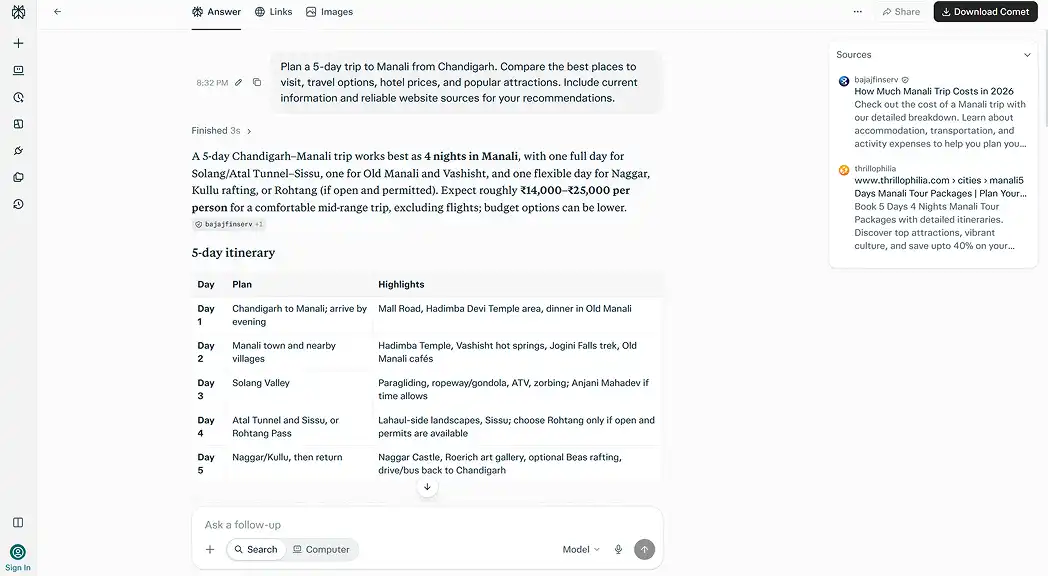
You can then ask follow-up questions to narrow down your choices.
Perplexity also supports document analysis, deeper research, content creation, and more advanced workflows through its paid features.
Key Features
- Real-time web search.
- Answers with source links.
- Follow-up questions and deeper research.
- File analysis and research organization.
- Document and content creation.
- Access to advanced AI models on supported plans.
The biggest reason to consider Perplexity is its source-focused search experience. You can investigate where information came from instead of relying only on the generated answer.
That doesn't mean every source is reliable or every answer is correct. You still need to check important details.
Pricing
- Free: Core search and chat features.
- Pro: $20/month.
- Max: Higher-tier plan for users who need expanded research and AI capabilities.
Who Should Choose Perplexity?
Perplexity is worth considering if researching information online is one of your main daily activities.
Luminary also offers real-time search and sources, alongside writing, document workflows, and interactive ways to explore information. Both support research, but they organize the experience differently.
6. Microsoft Copilot
Best for: People who work with Microsoft Word, Excel, PowerPoint, and Outlook.
Website: https://copilot.microsoft.com/
Microsoft Copilot is a general-purpose AI assistant with additional features across Microsoft's software.
The standalone assistant can help with questions, research, writing, and creative tasks.
Its Microsoft 365 integration becomes useful when you spend a lot of your day working in documents, spreadsheets, presentations, or email.
For example, you might use Copilot to improve a document in Word, work with data in Excel, or prepare slides in PowerPoint.
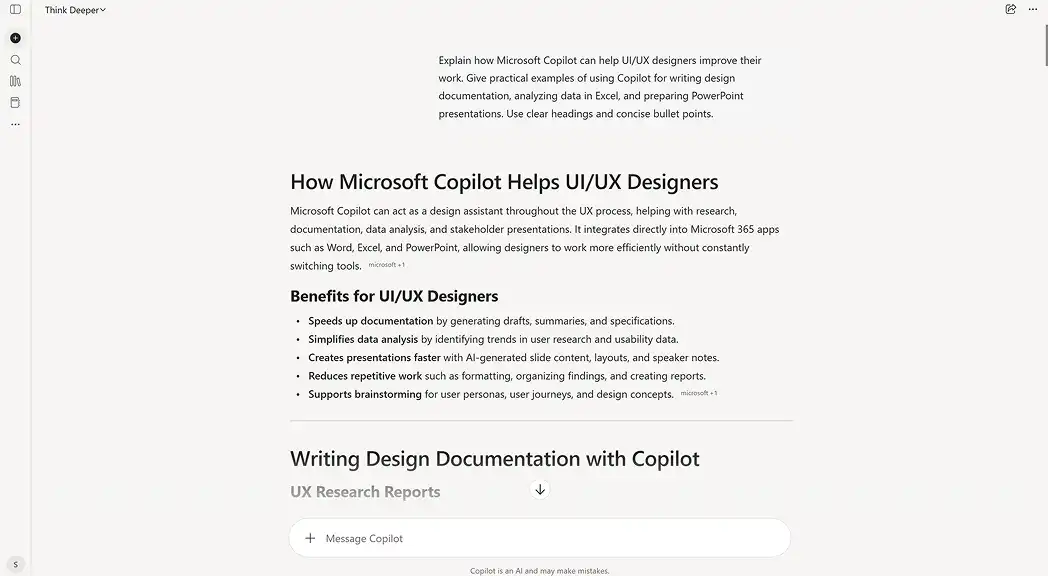
You can also use it for personal questions and everyday research without opening those applications.
Key Features
- General AI conversations.
- Web search and writing assistance.
- Image creation.
- Help with Word, Excel, and PowerPoint.
- Outlook-related productivity features.
- Support across Microsoft devices and applications.
Copilot makes sense if you want AI assistance directly inside apps you're already using.
However, the features available in Microsoft's free assistant and those included with Microsoft 365 subscriptions are not the same. Check the plan before subscribing.
Pricing
- Free: Standalone Copilot access.
- Microsoft 365 Personal: Regular US pricing is approximately $9.99/month, with promotions and billing options available.
- Other plans: Additional options for individuals and businesses.
Who Should Choose Microsoft Copilot?
Copilot is a good fit if you use Microsoft 365 regularly and want AI assistance inside those applications.
Luminary provides a separate general-purpose AI experience for everyday questions, research, writing, document analysis, and file creation without depending on Microsoft 365.
7. Motion
Best for: Managing tasks, planning work, and organizing a busy calendar.
Website: https://www.usemotion.com/
Motion is different from the assistants we've covered so far.
Although it includes AI chat and writing tools, its main focus is helping people organize their work and schedule.
Let's say you have five tasks to finish, several meetings, and a deadline tomorrow.
Instead of manually deciding when to work on each task, you can add your priorities and deadlines to Motion. Its planning features help place tasks into available time on your calendar.
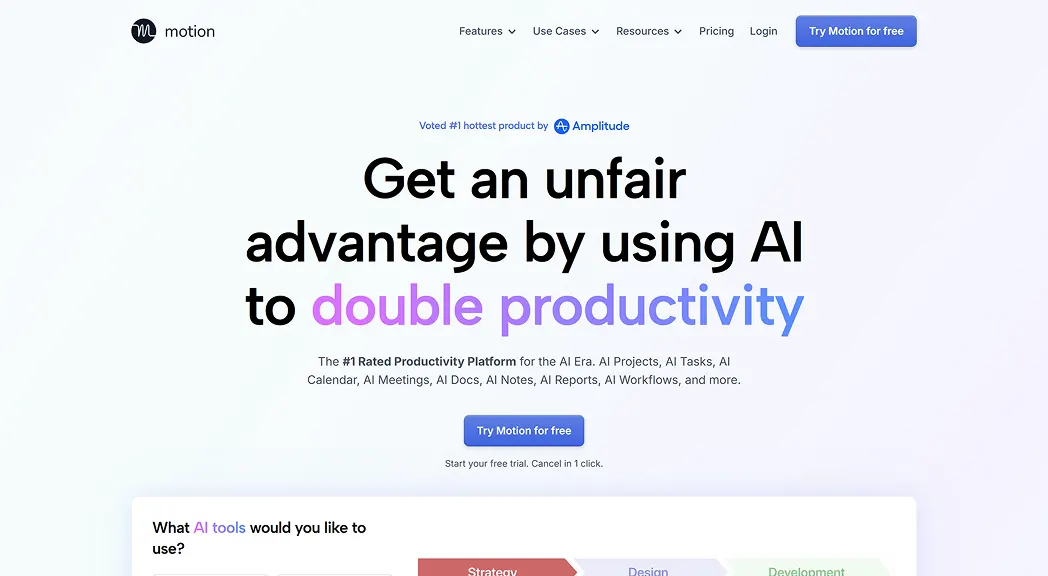
If your schedule changes, Motion can adjust the plan.
This makes it useful for freelancers, professionals, and people who struggle to manage a busy workload.
Key Features
- AI task planning and scheduling.
- Calendar and meeting management.
- Project and deadline tracking.
- Automatic scheduling adjustments.
- AI chat and writing tools.
- Productivity integrations.
Motion is useful when you need more than advice about managing your time. It can help organize the actual schedule.
Its scheduling-focused features are less relevant if you mainly need help with everyday questions, writing, or research.
Pricing
- Free trial: Available.
- Pro AI: $49/month for an individual on monthly billing. Annual subscriptions and team plans have different rates.
- Business AI: Higher-priced plan with additional features.
Who Should Choose Motion?
Consider Motion if your biggest problem is keeping tasks, deadlines, and meetings organized.
It can also complement a general-purpose assistant like Luminary. You could use Luminary to research and plan a project, then Motion to organize when the work gets done.
8. Reclaim AI
Best for: Managing calendar time, protecting focus hours, and scheduling recurring activities.
Website: https://reclaim.ai/
Reclaim AI focuses on a specific but important part of personal productivity: making better use of your time.
Instead of manually setting aside time for every task, you can tell Reclaim about your priorities and scheduling preferences.
For example, you might want two hours of focused work each morning, time for exercise several days a week, and short breaks between meetings.
Reclaim can find suitable calendar slots and adjust them when other commitments come up.
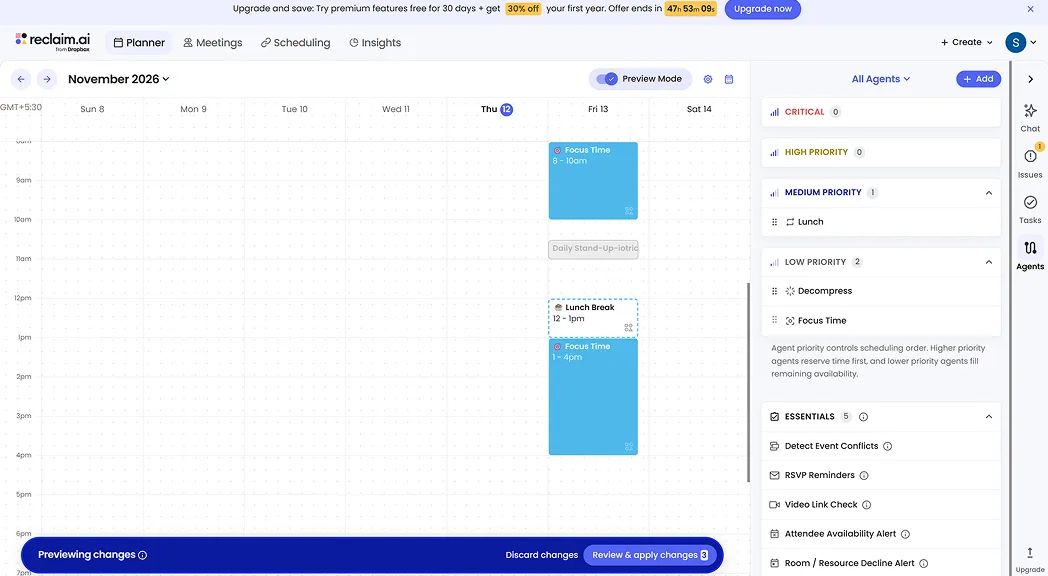
It also includes an AI assistant for helping users plan and improve their schedules.
Key Features
- Automatic calendar scheduling.
- Focus-time protection.
- Recurring habit scheduling.
- Meeting scheduling.
- Calendar syncing.
- AI assistance for planning and time management.
Reclaim is helpful if your calendar fills up quickly and you want more control over how your time is spent.
It is less suitable as your only assistant if you also need extensive web research, document analysis, writing, and general content creation.
Pricing
- Free: Free-forever plan with limited features.
- Starter: $12 per seat/month on monthly billing.
- Other plans: Higher tiers for additional scheduling and team features.
Who Should Choose Reclaim AI?
Reclaim is worth considering if managing your calendar is your biggest challenge.
If you want help with research, writing, documents, or everyday decisions, you'll probably also want a broader AI assistant.
 Luminary
One AI assistant for search, research, writing, and documents.
Luminary answers everyday questions with sources, visuals, and comparisons, and lets you dig into anything in the answer.
Quick Comparison of the Best AI Personal Assistants
Here's how the eight tools compare based on their main strengths.
| AI Assistant | Best For | Standout Feature | Free Access |
|---|---|---|---|
| Luminary | Everyday AI assistance, search, research, writing, and documents | Rich answers and interactive exploration | Yes |
| ChatGPT | Writing, planning, research, and general tasks | Flexible conversations and broad tools | Yes |
| Gemini | Google users | Google app integrations | Yes |
| Claude | Writing, documents, and detailed tasks | Long-form analysis and file workflows | Yes |
| Perplexity | Online research and current information | Source-backed AI search | Yes |
| Microsoft Copilot | Microsoft 365 users | Word, Excel, and Outlook integration | Yes |
| Motion | Task and schedule management | Automatic task planning | Free trial |
| Reclaim AI | Calendar scheduling | Focus time and habit scheduling | Yes |
If you're looking for one assistant to help with many different tasks, start by comparing the general-purpose tools.
If you already know that scheduling or calendar management is your main problem, Motion and Reclaim are more focused options.
Which AI Personal Assistant Should You Choose?
It's easy to get distracted by long feature lists. A better approach is to think about what you'd actually ask an assistant to do on a normal day.
If you want help with a little bit of everything: Start with Luminary, ChatGPT, Gemini, Claude, or Perplexity. They can all support questions, research, writing, and many everyday tasks.
If you regularly research products, services, or important decisions: Look for web search, useful comparisons, and sources you can check. Luminary and Perplexity are relevant choices, alongside other general-purpose assistants with search capabilities.
If you work with a lot of documents: Compare Luminary, Claude, ChatGPT, and Gemini. Each supports document analysis, but the way you view files, ask questions, and work with the results differs.
If you already use Google or Microsoft apps: Gemini and Copilot may save extra steps because of their native integrations.
If you want your calendar organized automatically: Motion and Reclaim are better starting points than choosing an assistant based only on its conversational features.
Start by testing the tools available to you with a few everyday tasks. This will help you understand which assistant fits your needs.
How to Find the Best AI Personal Assistant for You
Before choosing an assistant, test it with three ordinary tasks.
Test 1: Ask a Question That Needs Current Information
Try something like:
"Compare three smartphones under $500 for photography and battery life. Include current prices, important differences, and sources."
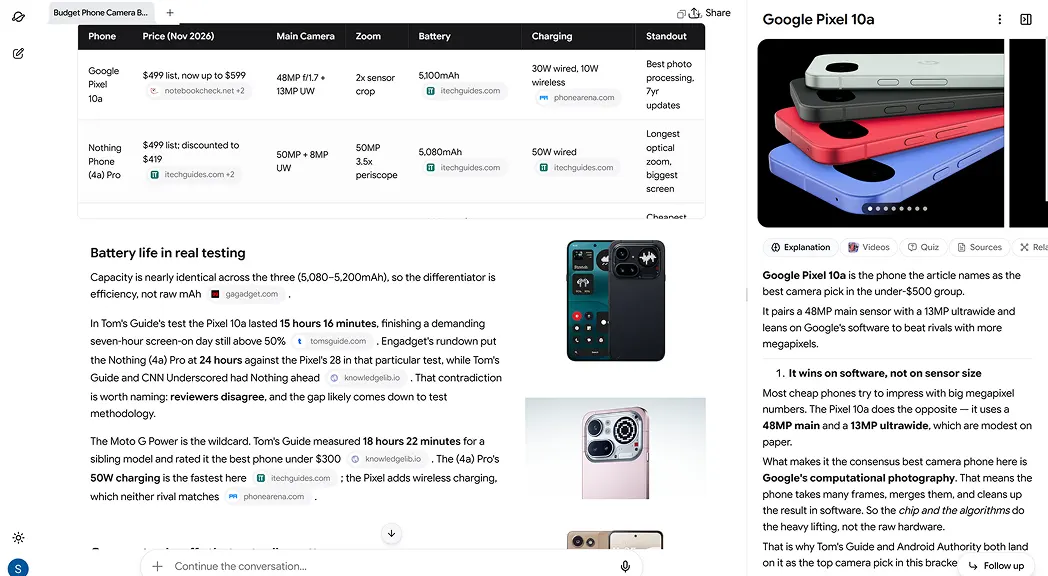
Check whether the assistant gives you useful information, explains the differences clearly, and makes it easy to verify what it says.
Test 2: Upload a Document
Choose a PDF or report you already need to read.
Ask the assistant to summarize it, identify the most important points, and explain anything that isn't clear.
Notice whether it can answer follow-up questions about specific sections without losing context.
Test 3: Turn Information Into Something Useful
Ask the assistant to turn your findings into a checklist, email, report, or comparison table.
If you often work with documents, see whether it can create a file in the format you need.
You should also test any specific integrations you care about, such as calendar or email actions.
After these three tasks, you'll have a much better idea of whether the assistant fits your routine.
Conclusion
The best AI personal assistant is one you'll actually find useful in your daily life.
ChatGPT, Gemini, Claude, Perplexity, and Microsoft Copilot offer a wide range of AI capabilities. Motion and Reclaim are useful when your main goal is to organize tasks and calendar time.
Luminary brings everyday AI assistance, real-time search, research, writing, document analysis, and content creation into one platform. Its rich answers, contextual visuals, and interactive features give users different ways to find and work with information.
Explore Luminary and use its complete range of AI capabilities for free.
Frequently Asked Questions
Luminary, ChatGPT, Gemini, Claude, and Perplexity are all capable AI personal assistants. Luminary combines everyday conversations, real-time search, research, writing, document analysis, and content creation with rich answers and interactive exploration. The right assistant depends on your daily tasks and the integrations you need.
Yes. Luminary is currently completely free to use for everyday AI assistance, search, research, writing, and document analysis. ChatGPT, Gemini, Claude, Perplexity, Microsoft Copilot, and Reclaim AI also offer free access, although their available features and usage limits differ.
An AI personal assistant can help you research information, write messages, compare products, plan activities, understand documents, brainstorm ideas, and make decisions. Some can also manage tasks, schedule meetings, or work inside connected apps.
Luminary is available on the web, Android, and iOS, offering AI-powered conversations, research, writing, document tools, and interactive answers across devices. Other popular AI assistants, including ChatGPT, Gemini, Claude, Perplexity, and Microsoft Copilot, also offer mobile experiences. The best choice depends on whether you prioritize voice conversations, research, content creation, document tools, or access to connected services.
Yes. Several AI assistants can analyze uploaded PDFs and answer questions about their contents. Luminary also lets you open supported documents beside your conversation, highlight text, and explore specific passages in more detail.
LuminaryThere’s always more to discover.
Start with anything. Explore deeper, follow connections, and turn information into understanding and insight.
Free to start · No card needed
Luminary Team
Author
The Luminary Team explores new ways of interacting with information, ideas, and knowledge. Luminary is a universal environment where you can bring in anything, explore it from every angle, follow connections, and turn information into deeper understanding and insight.
LuminaryStart with anything. Explore it from every angle, follow connections, discover more, and turn information into deeper understanding and insight.
- Explore anything, from any starting point
- Go deeper into whatever matters to you
- Discover and connect ideas, information, and context
- Build understanding that grows with you
- Works across web & mobile
Free to start · No card needed