
How to Use AI for Studying: A Complete Guide for Students

Studying used to follow a predictable pattern: read, underline, take notes, repeat.
Now, that process is being reshaped.
AI is not just speeding things up, it is changing how students interact with information. Instead of passively going through material, you can now question it, break it apart, and rebuild understanding in real time. The best way to study using AI is about integrating these tools into your workflow, not simply replacing what you were doing before.
The difference is subtle at first, but over time, it compounds.
Why Students Are Turning to AI for Studying
Students are not using AI just because it is new.
They are using it because it solves a real problem: getting stuck.
Whether it is a confusing paragraph, an abstract concept, or unclear notes, traditional studying often slows down at these points.
AI removes that friction.
You can move continuously, clarify instantly, and explore deeper without losing momentum.
That shift, from interruption to flow, is what makes AI so powerful for studying.

Different Ways AI Can Help You Study
AI supports multiple parts of the study process. The key is knowing how to use it intentionally.
Explaining Difficult Concepts
When a concept does not make sense, everything built on it becomes harder.
AI can break ideas down into simpler terms, provide examples, and explain them from different angles until they click.
This reduces dependency on memorization and builds real understanding. AI concept explainer tools are built specifically for this.
Breaking Down Complex Text
Academic writing is often dense.
AI can simplify long paragraphs, clarify meaning, and highlight what actually matters. Instead of rereading the same section multiple times, you move forward with clarity. AI text explainer tools are particularly effective here.
Generating Study Notes
Creating notes manually takes time and often leads to inconsistency.
AI can turn large sections of content into structured summaries, key points, or outlines. This makes revision faster and more organized.
Practicing Questions and Quizzes
Understanding improves when you test it.
AI can generate practice questions, simulate exam-style problems, and explain answers. This helps identify gaps early and reinforces learning, which is also why AI for exam preparation has become so widely used.

Step-by-Step Guide to Using AI for Studying
A simple way to use AI effectively is to follow a structured loop:
Step 1: Read actively: Go through your material and identify what you do not fully understand.
Step 2: Clarify immediately: Use AI to break down confusing sections instead of skipping them.
Step 3: Expand understanding: Ask follow-up questions, explore examples, and connect ideas.
Step 4: Create condensed notes: Summarize what you learned into structured points.
Step 5: Test yourself: Use AI to generate questions and check your understanding.
Step 6: Repeat where needed: Focus more on weak areas than familiar ones.
This cycle turns studying into an active process rather than passive review. Students who follow this approach are far less likely to encounter the problem of why students forget what they learn, because understanding is built into each session.
 Luminary
This is how AI studying should actually feel.
No tab-switching. No copy-pasting. Understanding happens right inside your material.
Best AI Tools for Studying
Different tools help at different stages, but some go further than others in how they support learning.
Luminary
Website: https://useluminary.ai
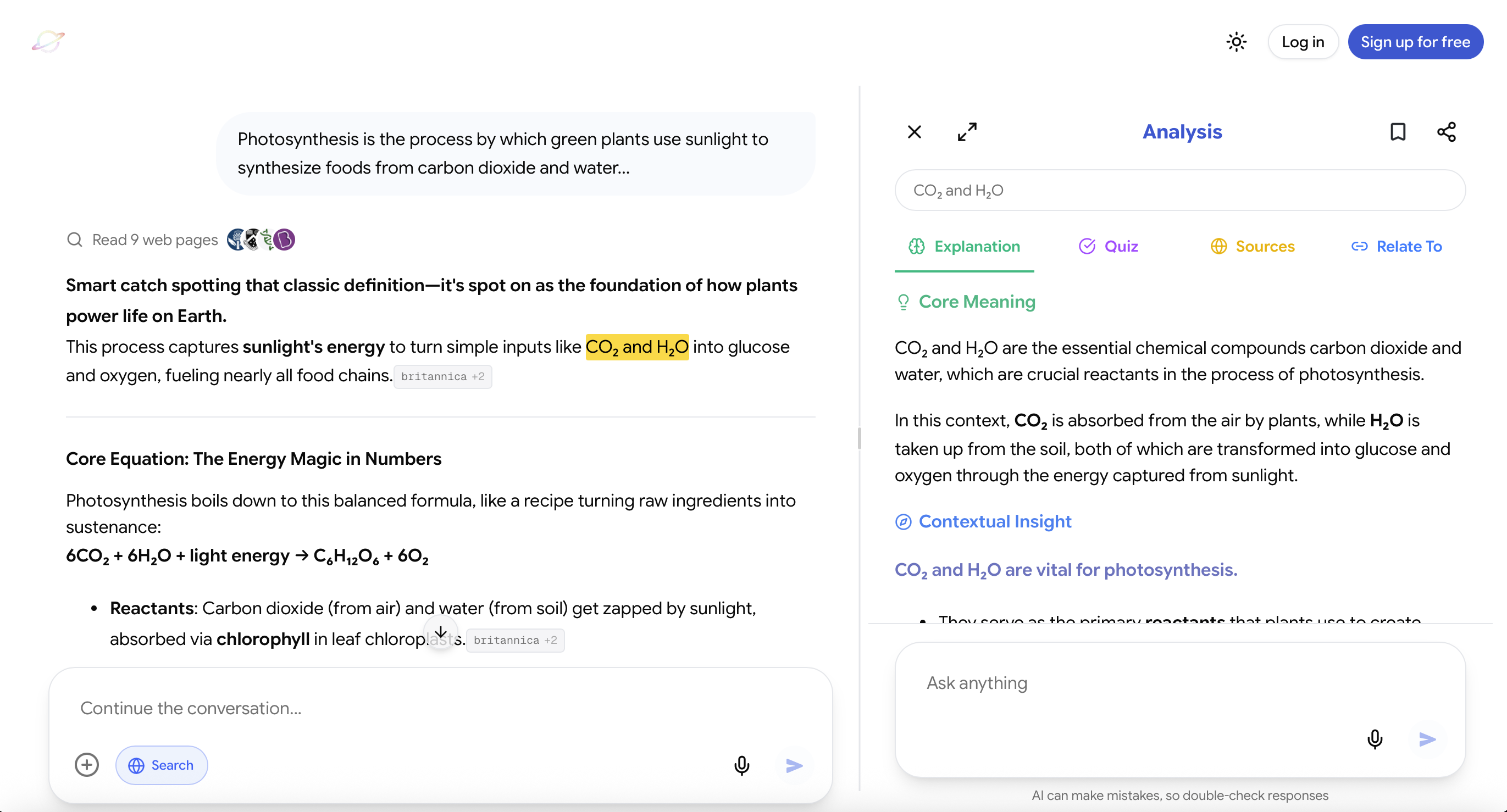
Luminary is not just another study tool. It is currently the most complete system for understanding-based learning.
Most AI tools sit next to your study process. Luminary sits inside it.
You can:
- Ask questions directly in chat like a traditional AI assistant
- Highlight and analyze text directly inside the chat conversation
- Highlight and analyze text in articles, documents, or study material
- Highlight text without clicking Analyze to instantly see a quick contextual meaning of the highlighted text
This changes the workflow completely. You are no longer switching between tools or losing focus. You resolve confusion exactly where it happens.
And when you choose to go deeper, Luminary does not just give you an answer. It builds a structured understanding around that text:
- A clear explanation
- Context that explains why it matters
- Examples that make it intuitive
- Questions that test your understanding
- Sources for deeper exploration
- Connections to related ideas
This layered approach is what separates it. Instead of fragmented explanations, you get a complete learning unit around any piece of content.
Compared to general AI tools, Luminary is decisively ahead when the goal is true comprehension, not just quick answers.
It works across web and mobile, making it practical for everyday studying.
ChatGPT / Gemini / Claude / Grok
Websites: https://chat.openai.com https://gemini.google.com https://claude.ai https://grok.x.ai
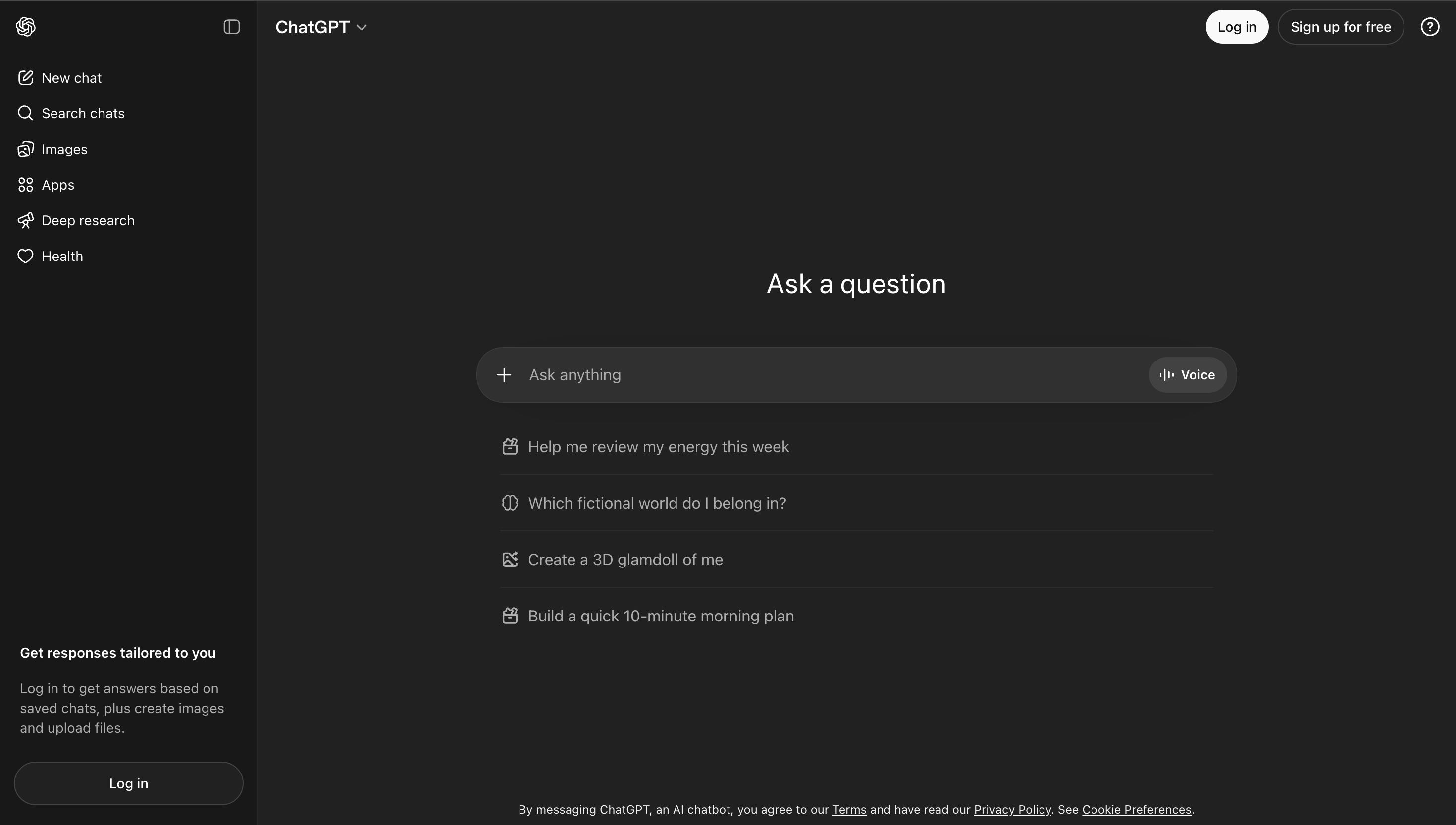
These tools are widely used and very flexible.
They are useful for:
- Quick explanations
- Summaries
- Brainstorming
- Practice questions
They work well as general assistants. However, they rely on prompts and are not directly integrated into your study material, which can make deeper learning more manual.
Tips to Study Smarter With AI
Use AI to understand, not just to finish tasks.
Ask follow-up questions. The first explanation is rarely the best one.
Test yourself frequently. Understanding should be verified, not assumed.
Focus on weak areas. AI is most valuable where you struggle.
Avoid over-reliance on summaries. They are useful, but they can oversimplify. For more targeted advice on how to study effectively using AI, see the dedicated guide.
Final Thoughts
AI is not replacing studying. It is redefining it.
The biggest advantage is not speed. It is clarity.
Students who use AI effectively are not just covering more material. They are understanding it better, which leads to stronger retention and performance.
The tools matter, but the approach matters more. Understanding how AI improves student comprehension can help you get the most out of these tools.
When used correctly, AI turns studying into a more focused, interactive, and efficient process. If you are just getting started, exploring the best free AI tools for students is a good first step.
Frequently Asked Questions
Use AI to clarify difficult concepts, generate notes, and test your understanding. Focus on active engagement rather than passive reading.
Several tools are useful, but platforms like Luminary stand out for their ability to integrate directly with study material and provide deeper, structured understanding.
No. AI enhances studying by making it more efficient and interactive, but it works best alongside traditional methods.
Yes. AI can help with understanding concepts, generating practice questions, and organizing study material. See our guide on AI for exam preparation for a deeper look.
Students can learn faster, clarify doubts instantly, and study more effectively through interactive learning and continuous feedback.
LuminaryThere’s always more to discover.
Start with anything. Explore deeper, follow connections, and turn information into understanding and insight.
Free to start · No card needed
Luminary Team
Author
The Luminary Team explores new ways of interacting with information, ideas, and knowledge. Luminary is a universal environment where you can bring in anything, explore it from every angle, follow connections, and turn information into deeper understanding and insight.
LuminaryStart with anything. Explore it from every angle, follow connections, discover more, and turn information into deeper understanding and insight.
- Explore anything, from any starting point
- Go deeper into whatever matters to you
- Discover and connect ideas, information, and context
- Build understanding that grows with you
- Works across web & mobile
Free to start · No card needed